

Leadership Reports: an overview
What Leadership Reports is in CultureMonkey, who can use it, and how a report is put together: the three tabs, the report scope, the blocks, anonymity and sharing.
On this page
Leadership Reports turns a survey's results into reports written for the people who lead the organisation. Each report is a set of blocks, such as headline scores, driver bars, a heatmap or an analysis of what moves engagement, all reading from the survey you choose.
This guide covers where Leadership Reports lives, the three ways to start a report, what every report is made of, and how sharing and anonymity work.
Open Analyse > Leadership Reports. Run a standard report in one click, start from a template built for the CHRO, HR business partners or the leadership team, or build your own from blocks. Every report reads from one survey, can be compared against another, and applies your anonymity threshold to every block and export.
Leadership Reports is for Super Admins and is available on request through your Success Manager. If you do not see Leadership Reports under Analyse in the sidebar, it is not switched on for your account yet.
Where to find it
In the sidebar, under Analyse, choose Leadership Reports. The page opens on three tabs:
| Tab | What it holds |
|---|---|
| My Reports | Reports you built, and reports other admins have shared with you. |
| Standard Reports | Ready-made reports built from your account's own attributes. Nothing to set up; they run as they are. |
| Templates | Three report packs, each with five to eight blocks already configured, that open as an ordinary report you can edit. |
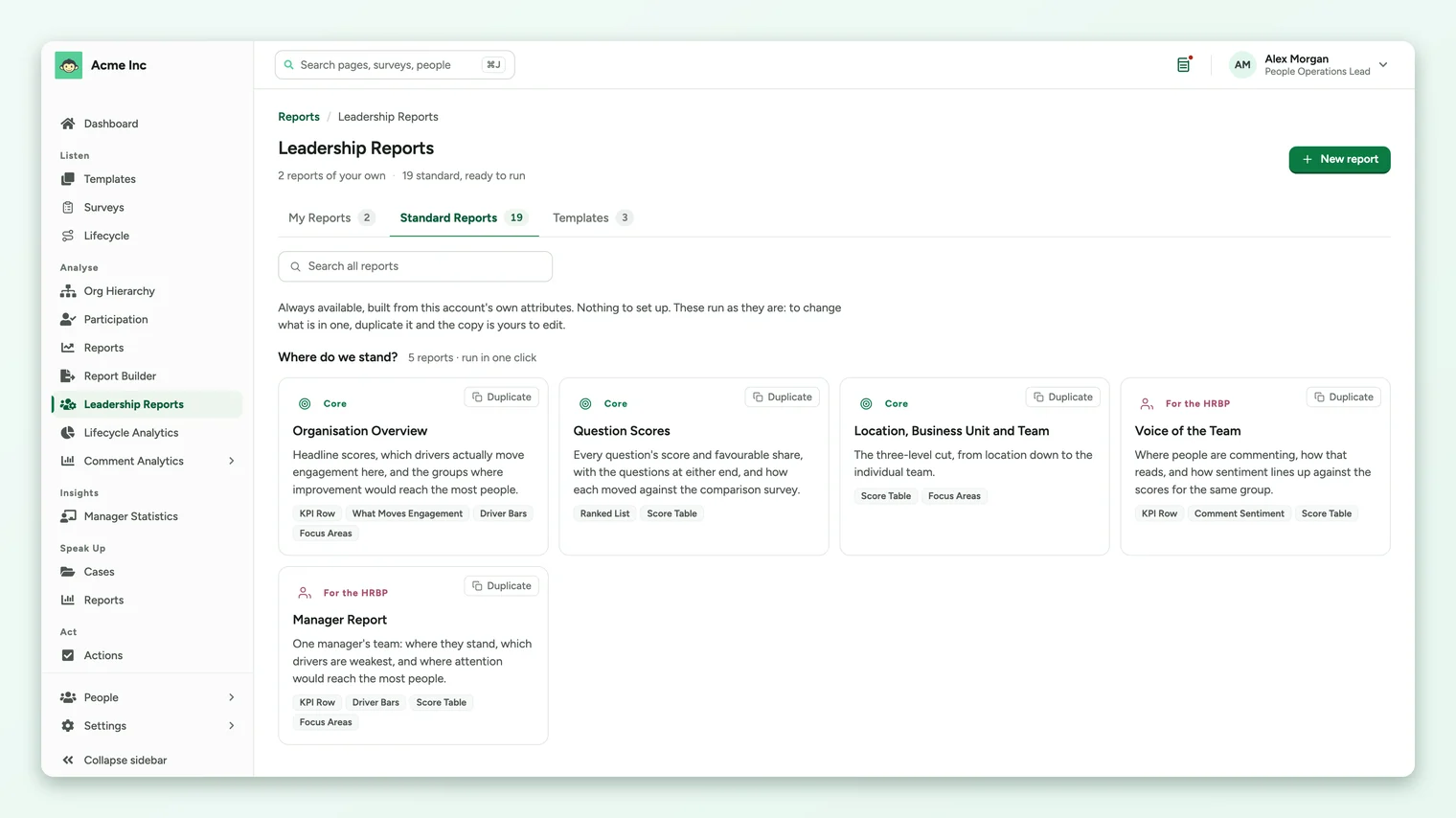
The Built for filter on My Reports narrows the list to reports built for the CHRO, HRBP, the Leadership Team or General use.
What a report is made of
Open any report and you see the same layout:
- The scope bar under the title: Survey (where every figure comes from), Compare (what every movement figure is measured against), Built for and Filters. Edit scope changes all four for every block at once.
- In This Report, a numbered outline of the blocks.
- Anonymity, a card stating the response threshold for this survey and how many rows the report withholds.
- The blocks themselves, numbered to match the outline.
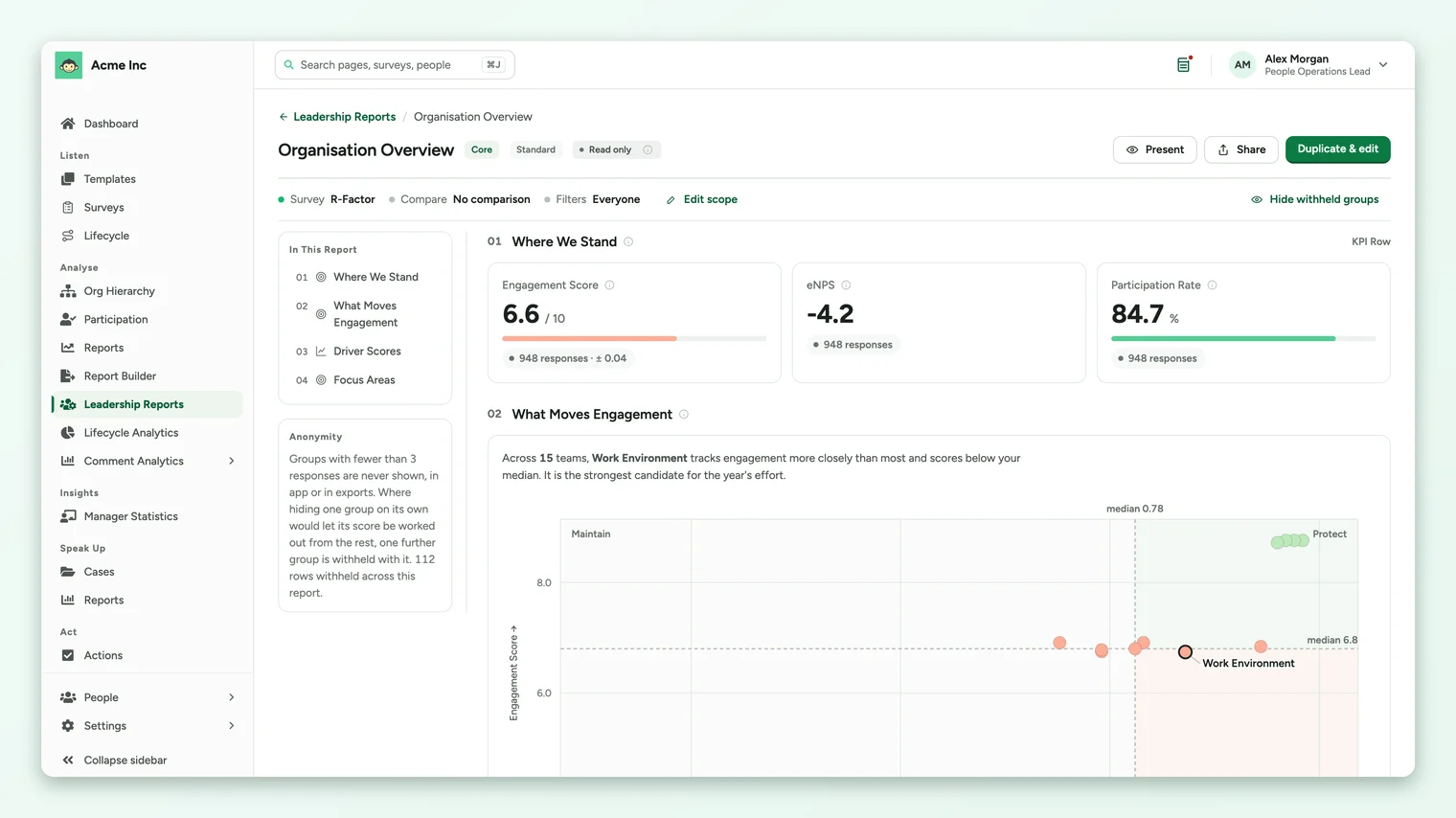
Headline figures show the number of responses beside them, and average scores also show a margin of error, such as 948 responses ± 0.04. See Compare a leadership report with an earlier survey for how to read it.
Three ways to start
| Start from | Best when | Read more |
|---|---|---|
| A standard report | You want an answer now, such as where the organisation stands or where participation is lowest. | Packs and standard reports |
| A template (report pack) | You are preparing a report for the CHRO, HR business partners or the leadership team. | Packs and standard reports |
| A blank report | You want to choose every block yourself. | Build a report from blocks |
Sharing and who can edit
A report you create is visible only to you until you share it. In the report's Share menu, under Who can see it, choose Only you or All admins with report access.
- Editing: only the Super Admin who owns a report can edit it.
- Viewing: other Super Admins who can see a report can open it, drill into it or duplicate it.
- Standard reports are read-only. Use Duplicate & edit to make your own copy.
To give the report to someone outside CultureMonkey, export it. See Export a leadership report to PDF or Excel.
Present and Preview
Present on a standard report, or Preview on a report you are building, shows the report the way a reader sees it, without the building controls. The editor previews the first page of each block; exports contain every row.
Anonymity in every report
Groups with fewer responses than the survey's threshold are never shown, in the app or in exports. Where hiding one group on its own would let its score be worked out from the rest, one further group is withheld with it. See How anonymity works in Leadership Reports.
Frequently asked questions
Who can use Leadership Reports?
Super Admins. Sub Admins and Managers do not have access. Leadership Reports is available on request through your Success Manager.
Do the numbers match the survey report?
Yes. Engagement, driver and question scores in Leadership Reports are calculated the same way as in the survey report, and they use the same score scale your account uses.
Can a report use more than one survey?
Each report reads its figures from one source survey. You can add a second survey under Compare against to show movement.
Where to go next
Your feedback helps us improve the Help Center.