

Use report packs and standard reports
The three report packs for the CHRO, HR business partners and the leadership team, the standard reports that run in one click, and the read-out CultureMonkey can save when a survey ends.
On this page
You rarely need to build a leadership report from nothing. Leadership Reports comes with three report packs and a set of standard reports built from your own account's attributes.
On the Templates tab, choose Use this template on a pack to get an editable report. On the Standard Reports tab, open any report to run it straight away; use Duplicate to change one.
Leadership Reports is for Super Admins and is available on request through your Success Manager. If you do not see Leadership Reports under Analyse in the sidebar, it is not switched on for your account yet.
Report packs (Templates)
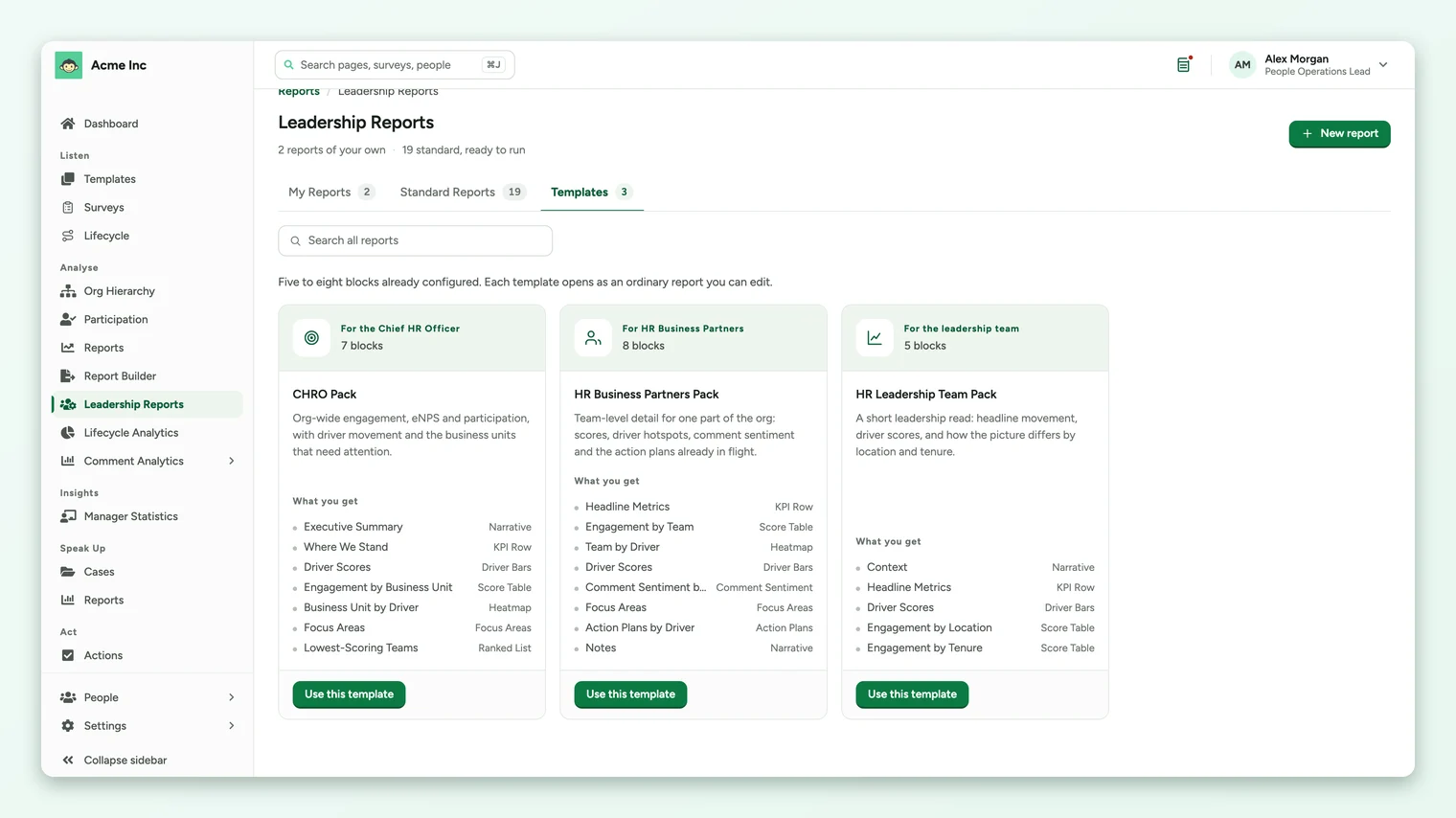
Each pack opens as an ordinary report you can edit, with five to eight blocks already configured.
| Pack | Built for | What you get |
|---|---|---|
| CHRO Pack (7 blocks) | The Chief HR Officer | Executive Summary, Where We Stand, Driver Scores, Engagement by Business Unit, Business Unit by Driver, Focus Areas, Lowest-Scoring Teams |
| HR Business Partners Pack (8 blocks) | HR business partners | Headline Metrics, Engagement by Team, Team by Driver, Driver Scores, Comment Sentiment by Team, Focus Areas, Action Plans by Driver, Notes |
| HR Leadership Team Pack (5 blocks) | The leadership team | Context, Headline Metrics, Driver Scores, Engagement by Location, Engagement by Tenure |
The narrative blocks (Executive Summary, Notes, Context) are where you write your own commentary. Everything else fills in from the report's survey.
- 1Open the Templates tab on the Leadership Reports page.
- 2Choose Use this template on the pack you want. CultureMonkey creates the report and opens it.
- 3Check the scope bar. Use Edit scope to pick the source survey, a survey to compare against and any filters.
- 4Write the narrative blocks, then add, remove or reorder blocks as you need. See Build a leadership report from blocks.
Standard reports
Standard reports are always available and need nothing set up. They run as they are: to change what is in one, duplicate it and the copy is yours to edit. They are grouped by the question they answer.
| Group | Report | What it shows |
|---|---|---|
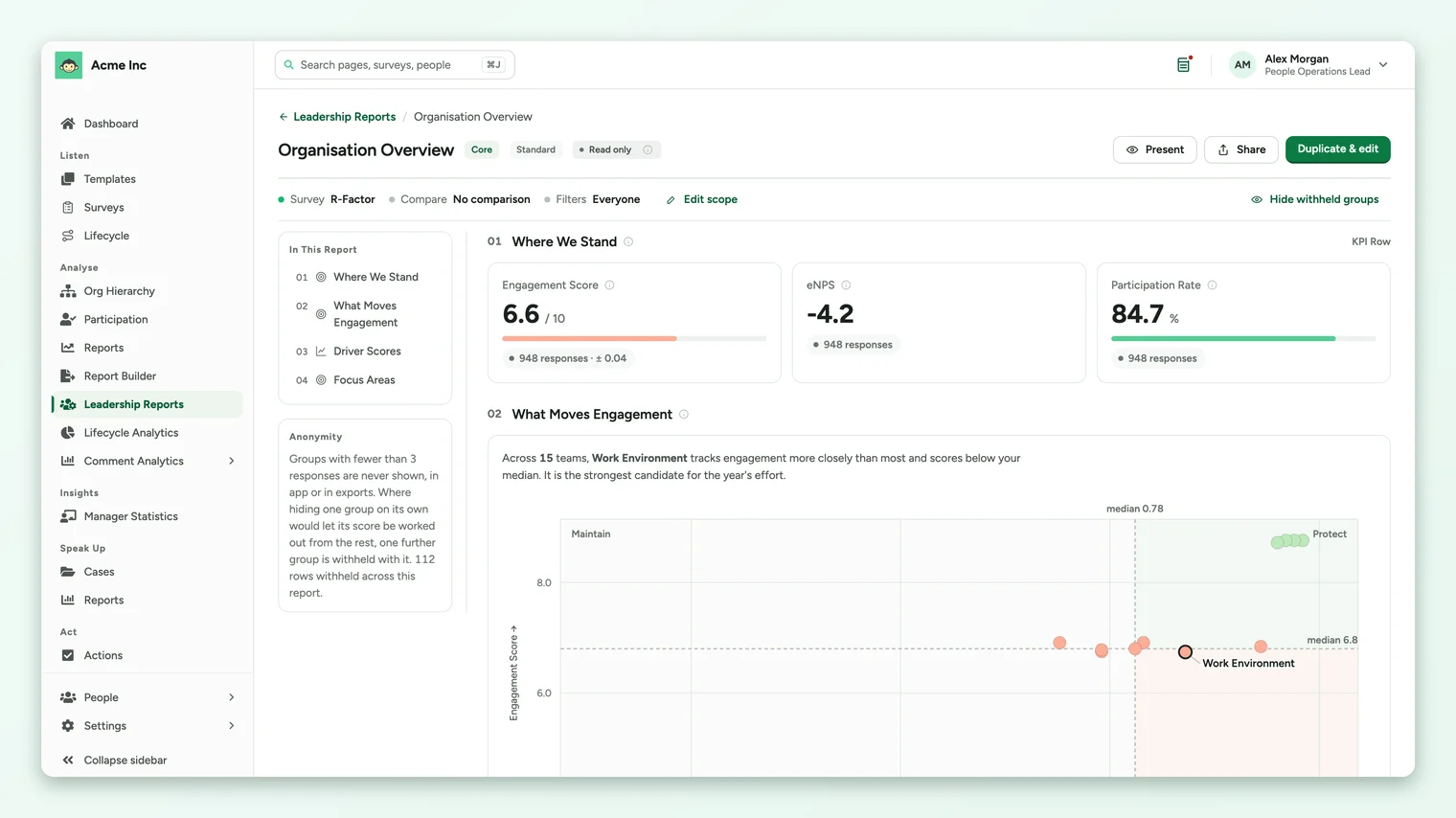
| Where do we stand? | Organisation Overview | Headline scores, which drivers actually move engagement here, and the groups where improvement would reach the most people. |
| Question Scores | Every question's score and favourable share, with the questions at either end, and how each moved against the comparison survey. | |
| Location, Business Unit and Team | The three-level cut, from location down to the individual team. | |
| Voice of the Team | Where people are commenting, how that reads, and how sentiment lines up against the scores for the same group. | |
| Manager Report | One manager's team: where they stand, which drivers are weakest, and where attention would reach the most people. Choose a manager to run it. | |
| Where should we focus? | Manager Effectiveness | How engagement differs by manager, which drivers separate the strongest from the weakest, and where support would reach the most people. |
| Participation Health | Who answered and who did not. Groups with low response have scores built on fewer people. | |
| What changed, and who is at risk? | Retention Risk Signals | The groups where engagement and advocacy are weakest. These are leading indicators of attrition risk, not a prediction of who will leave. |
| New Hire Experience | How the experience differs by how long someone has been here, and which drivers separate the newest cohort from the rest. |
Below these, there is an Engagement by report for each attribute in your account, such as Engagement by Location or Engagement by Department. A report that needs an attribute your account does not have, such as tenure or manager, does not appear.
The read-out saved when a survey ends
Your account can also have the read-out saved for you. When this is switched on, the moment a survey ends CultureMonkey saves its standard reports to My Reports as ordinary saved reports, so they are waiting rather than waiting to be built.
| Survey type | Reports saved |
|---|---|
| Anonymous survey | Organisation Overview |
| Named survey | Organisation Overview; Location, Business Unit and Team; Manager Effectiveness; Retention Risk Signals; Participation Health; New Hire Experience; Voice of the Team; Engagement by Team |
- Each saved report is named <survey title> · <report name>, shared with the account and marked as automatically generated.
- Anonymous surveys get the overview only, because team and manager cuts under a three-response threshold would be mostly withheld.
- A report your account cannot answer (no manager or tenure attribute, for example) is simply not created.
- It creates reports, not files: nothing is frozen and nothing is emailed.
Saving the read-out when a survey ends is a separate option from Leadership Reports itself. Ask your Success Manager to turn it on.
Frequently asked questions
Can I change a standard report?
Not directly. Use Duplicate on the card, or Duplicate & edit inside the report, and edit the copy.
Why is the Manager Report empty?
It is about one manager's team, so it waits until you choose a manager.
Does Retention Risk Signals predict who will leave?
No. It shows the groups where engagement and advocacy are weakest, which are leading indicators of attrition risk. To look back at the groups that did lose people, use the What Preceded People Leaving block. See Read the analysis in a leadership report.
Where to go next
Your feedback helps us improve the Help Center.