






The 2026 Buyer's GuideLAST UPDATED ·

13 Best Pulse Survey Tools & Software (2026)

Thirteen platforms reviewed on the five things that decide whether a pulse program works after launch.

The best employee pulse survey tools in 2026 are Culture Amp for desk-based teams of 500+ employees, CultureMonkey for enterprises of 1,000+ employees with multilingual or distributed workforces, and Jotform for no-code pulse surveys with workflow automation. This guide reviews 13 platforms on delivery channels, anonymity, action planning, HRIS sync, survey fatigue controls, pricing, and buyer fit, with a side-by-side comparison table.

Culture Amp
4.5 on G2

Science-backed pulse templates, driver analysis, and industry benchmarks for mid-market people teams.

Contact salesRead review →
CultureMonkey
4.7 on G2

Pulse, engagement, onboarding, and exit surveys in one layer, with manager dashboards and 17+ HRIS integrations.

Contact salesRead review →
Jotform
4.7 on G2

No-code pulse surveys with conditional logic and automated routing, on a free tier or a flat monthly plan.

Free tier; from $34/moRead review →
TINYpulse
4.4 on G2

One question a week plus an anonymous suggestion box, with minimal configuration.

Contact salesRead review →
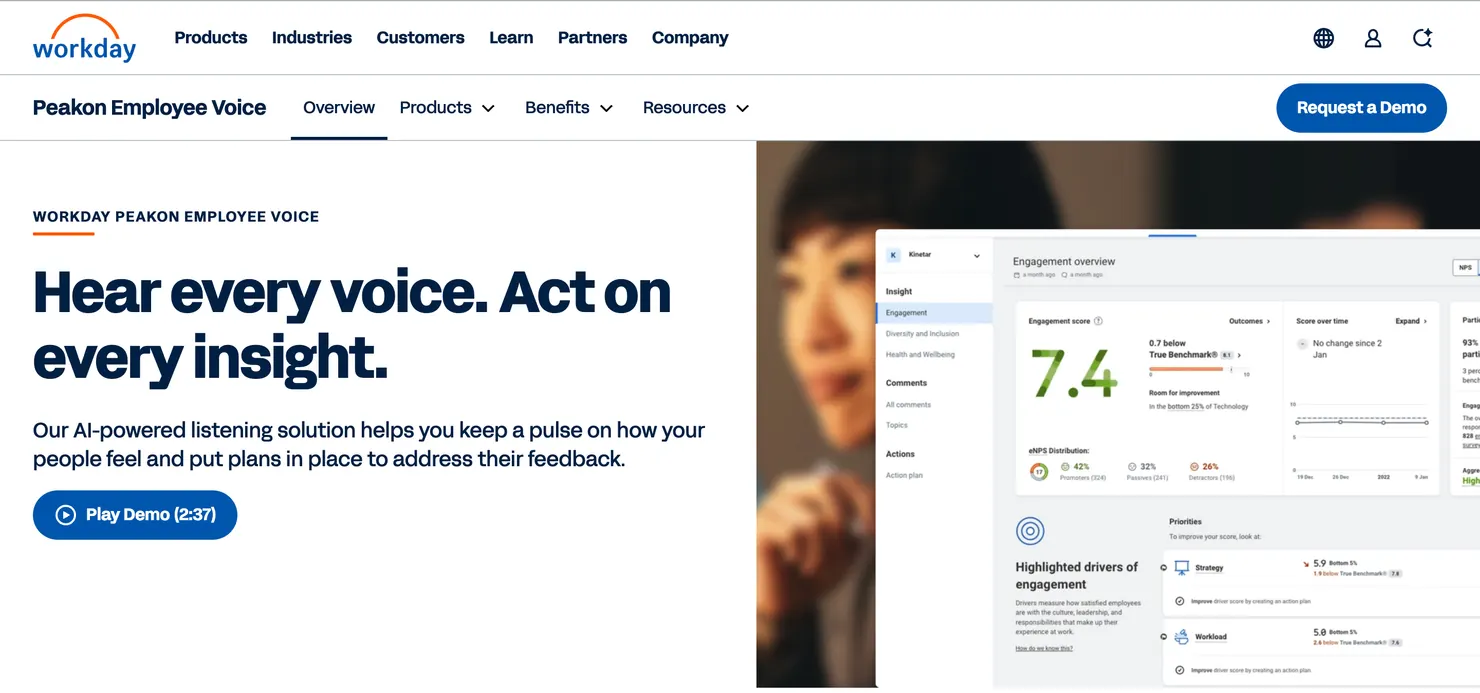
Workday Peakon
4.6 on G2

Native Workday sync keeps rosters and org hierarchy current. The default when your HRIS is already Workday.

Contact salesRead review →
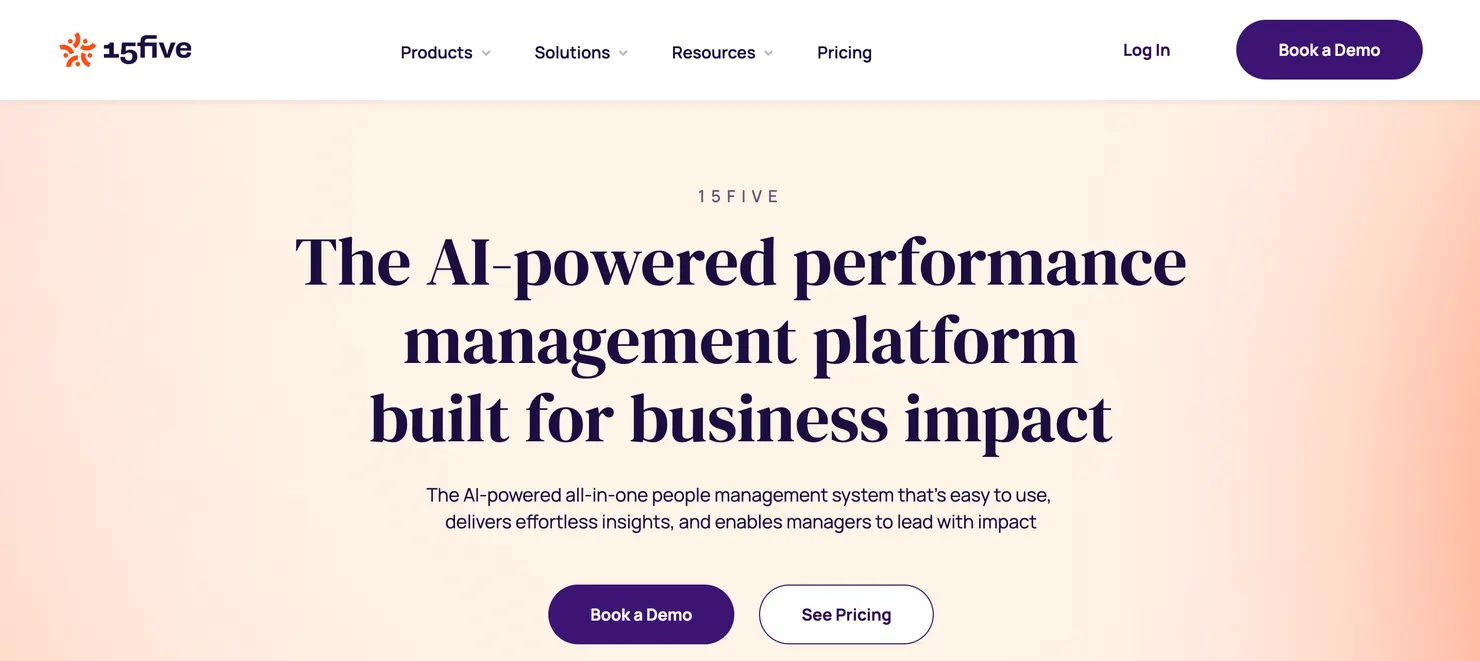
15Five
4.6 on G2

Weekly check-ins, OKR tracking, and pulse surveys in a single platform.

From $4/user/moRead review →
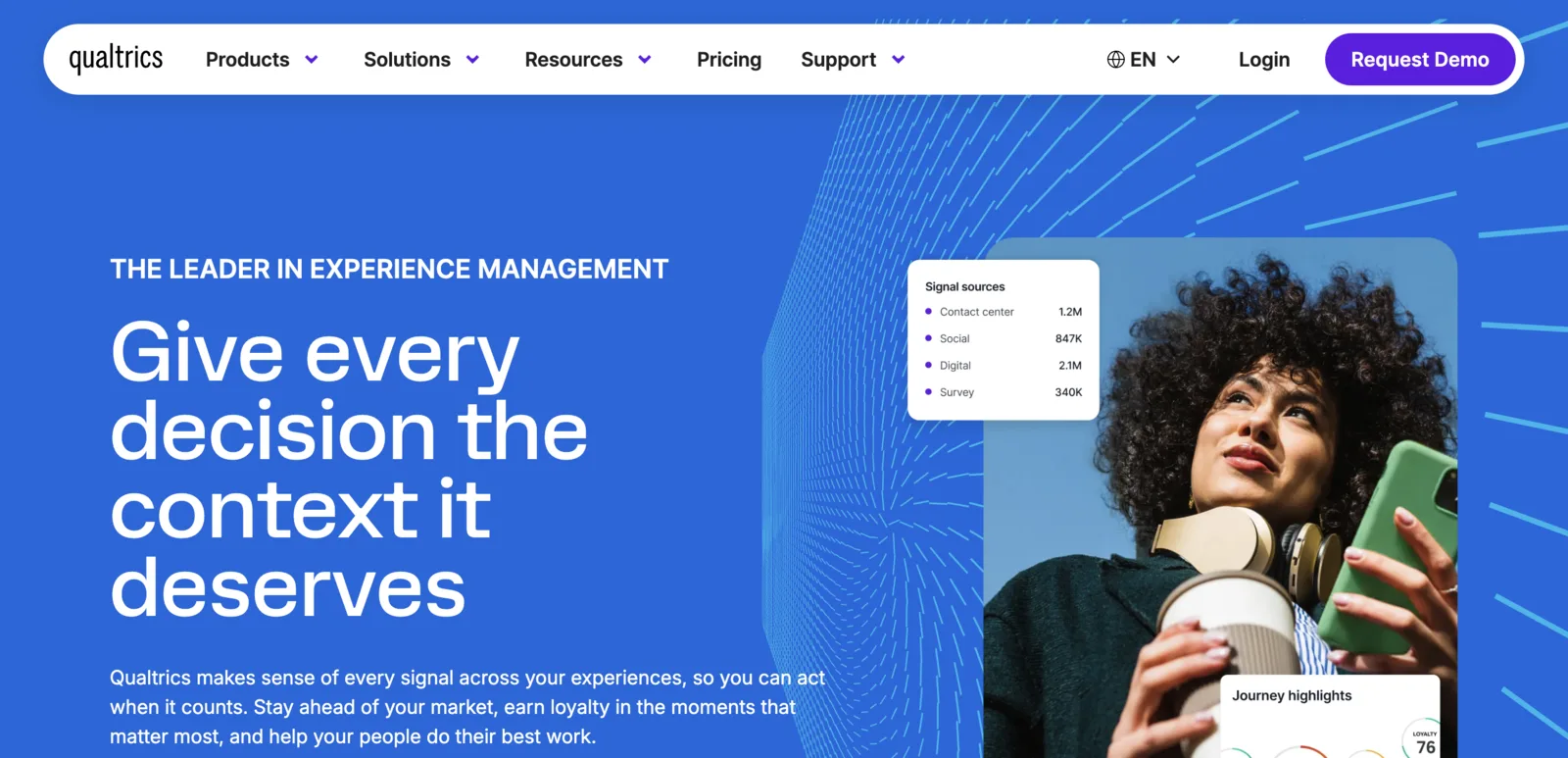
Qualtrics XM
4.4 on G2

Research-grade analytics and predictive attrition modeling for dedicated people analytics teams.

Contact salesRead review →
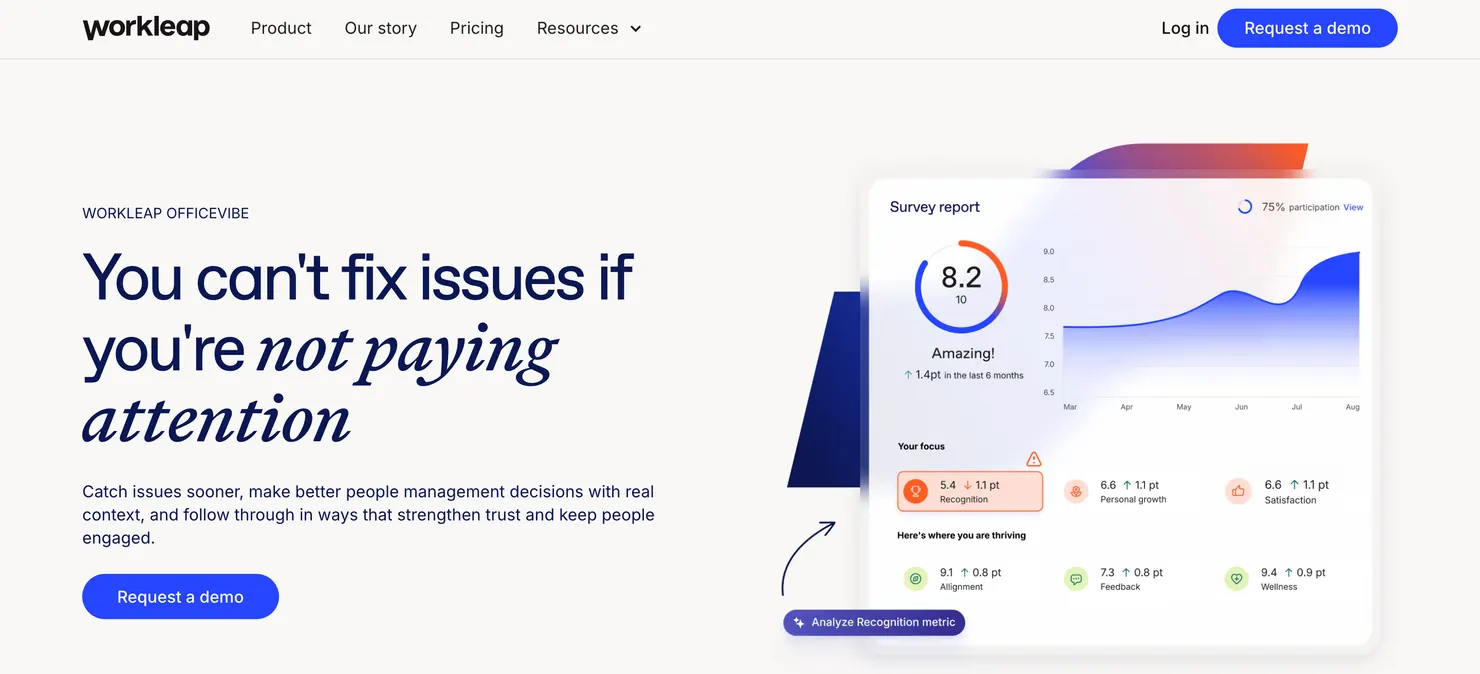
Workleap Officevibe
4.3 on G2

Weekly pulse nudges inside Slack or Teams with a free tier for small teams.

From $5/user/moRead review →
Lattice
4.7 on G2

Pulse surveys connected to performance reviews with transparent self-serve pricing.

From $11/user/moRead review →
These nine are a starting point. For a shortlist matched to your workforce:Answer the 5 questions →
13 tools comparedNo vendor paid for placementCultureMonkey reviewed by the same criteria as all othersCultureMonkey benchmarks: ~11M responses across 19 industries
Written by
Santhosh, Sr. Content Strategist at CultureMonkey
Writes about how companies actually listen to employees: survey design, feedback loops, and where most engagement programs break down with people science research. 250+ articles deep on the topic.
4 years in HR tech
Data verified by
Research team analyzing engagement across industries globally.
~11M responses
Reviewed by
Alexis Fink, Founder Propeller Insight
Alexis FinkLinkedIn →
Founder, Propeller Insight. 20+ years at the intersection of technology, data, and talent, driving workforce analytics and responsible AI.
20+ years in talent & people analytics
12 min read to find your tool|Updated |Fact-checked
The Tool Finder

Not sure which tool fits? Answer 5 questions.

Question 1 of 5
How many employees are you surveying?
Question 2 of 5
Which HR platform are you already on?
Question 3 of 5
Do you need to reach frontline or deskless workers?
Question 4 of 5
How important is anonymous feedback to your program?
Question 5 of 5
What's your single biggest priority right now?

Answer the five questions to see your shortlist.

Step 1 of 5
At a glance

All 13 tools compared

Alternatives to generic pulse survey software for measuring workplace culture and team performance fall into three groups: engagement and analytics platforms (Culture Amp, CultureMonkey, Qualtrics XM), performance and pulse platforms (15Five, Lattice), and engagement and recognition platforms (Vantage Circle, WorkTango). Pick the group that matches the outcome you need to track: culture drivers, team goals and reviews, or recognition activity.

Compare all 13 tools side by side in the table below.

Ordered by use-case fit. G2 ratings verified May 2026. Click any tool to jump to its full review.

ToolBest forG2PricingMin. teamKey integrationsBest if replacing
Culture AmpMid-market4.5Contact sales500+BambooHR · Workday · SlackBasic pulse tools with no benchmarking
CultureMonkeyEnterprise4.7Contact sales1,000+Workday · ADP · SAP · Slack · TeamsSiloed pulse tools without lifecycle listening or AI analytics
JotformSMB & Mid-market4.7Free tier; from $34/mo500+Slack · Salesforce · Google Drive · HubSpotTeams ready for automated pulse survey workflows
TINYpulseSMB4.4Contact sales50+Slack · Teams · BambooHRManual quarterly morale check-ins that are not anonymous
Workday PeakonEnterprise4.6Contact sales1,000+Native Workday HCMTools requiring manual CSV uploads
15FiveMid-market4.6From $4/user/mo50+BambooHR · Rippling · SlackPulse tools that skip performance connection
Qualtrics XMEnterprise4.4Contact sales1,000+SAP · Workday · Oracle · SalesforceLegacy survey platforms lacking analytics
Vantage CircleMid-market4.7Contact sales200+Slack · Teams · BambooHRBasic eNPS tools without rewards
Workleap OfficevibeSMB4.3From $5/user/mo50+Slack · Teams · Google WorkspaceTools with no manager dashboards
WorkTangoMid-market4.7Contact sales200+ADP · Workday · BambooHR · SlackSeparate recognition and survey platforms
LeapsomeMid-market4.5Contact sales50+BambooHR · Workday · SlackTools disconnected from performance and learning
LatticeMid-market4.7From $11/user/mo100+BambooHR · Workday · RipplingTools with no connection to performance reviews
Quantum WorkplaceMid-market4.4Contact sales200+ADP · BambooHR · SlackEngagement tools without validated survey models
Watch · The Short Version

Ten pulse survey tools compared, in 136 seconds.

A quick tour of ten pulse survey tools and who each one is built for, with each tool's G2 score. Watch it, then use the 13 full reviews below to shortlist properly.

01
Start with who you need to reach. Email-only pulse surveys miss frontline and deskless staff, so check delivery channels before features.
02
Matched by use case. Team size, HRIS stack, and whether pulses sit beside performance or recognition decide the fit.
03
Then go deeper. All 13 tools are reviewed in full below, with G2 ratings and who each one fits.
10 tools in 136 seconds · Watch on YouTube →
The 13 Tools

Reviews, verdicts, and where each one wins.

Every tool below is evaluated against the same five-dimension framework: distribution channel depth, anonymity threshold design, action loop closure, HRIS sync depth, and survey frequency and fatigue controls. Each review follows the same structure: standout features, strengths, limitations, who shouldn't use it, and a plain verdict. Several of the thirteen, including Lattice, Leapsome, and WorkTango, sit inside broader employee experience platforms.

Culture Amp

Mid-market4.5/5 on G2, May 2026 · 500+ employees↗ Website

Culture Amp's benchmark dataset covers 1.61 billion survey questions answered across thousands of organizations globally. Pulse surveys run inside the same platform as engagement, DEI, and manager effectiveness surveys, giving HR teams a single view across the full listening program. Teams outside the benchmarking use case will pay for depth they may not need.

PricingContact sales
Company size500+ employees
Integrations and channelsBambooHR · Workday · Slack
Best if replacingBasic pulse tools with no benchmarking
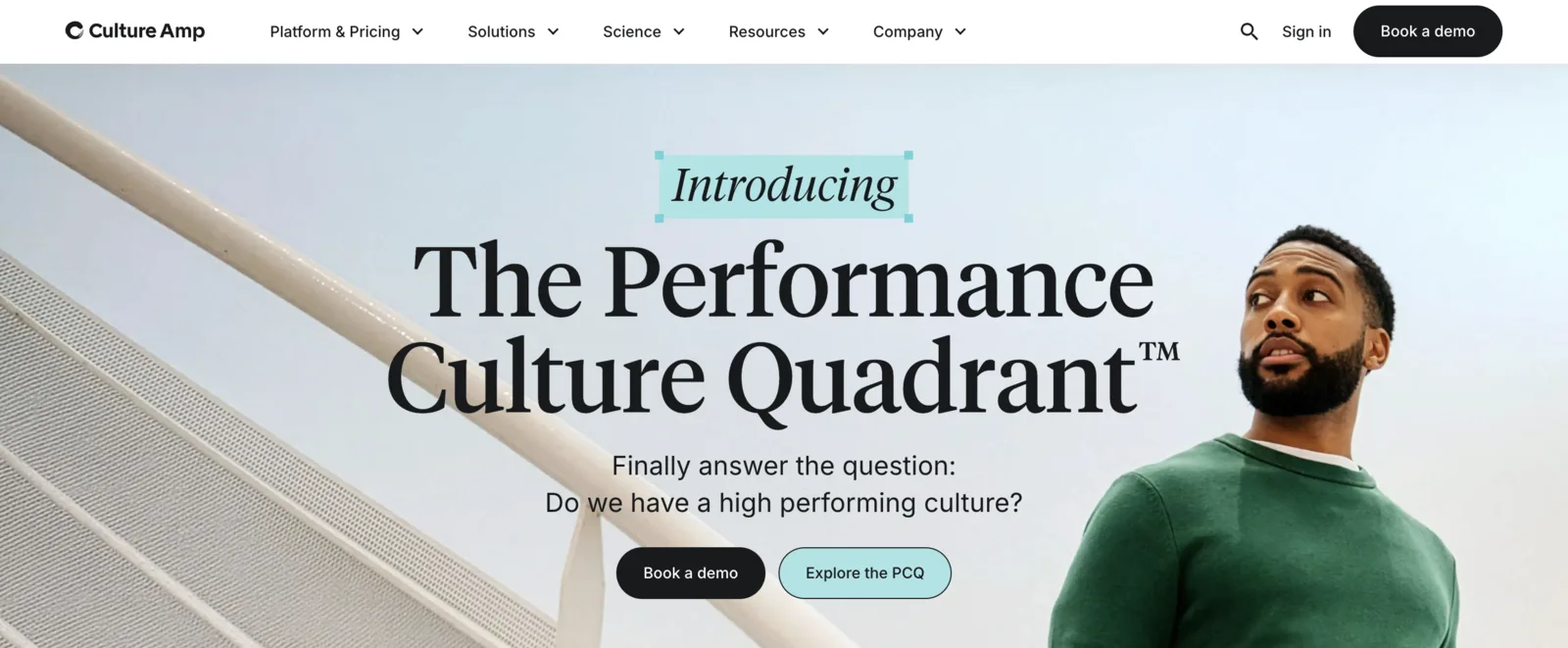
Culture Amp pulse survey results view with driver analysis and industry benchmark comparison

Culture Amp pulse survey results view with driver analysis and industry benchmark comparison

Standout features

  • Market-leading benchmarking: compares pulse results against a dataset of 1.61 billion questions answered across global organizations.
  • Science-backed pulse templates: question sets developed by organizational psychologists covering engagement drivers validated by research.
  • AI comment summaries: automatically summarizes open-text pulse responses into usable themes at scale.
  • Focus areas: guides managers toward specific improvement actions based on their team's pulse results.
  • Lifecycle integration: pulse surveys sit alongside onboarding, engagement, and exit surveys in one continuous listening program.

Strengths

  • Industry benchmarking depth against one of the largest workforce datasets available.
  • Science-validated pulse question libraries reduce survey design time and error.
  • Integrated development tools connect pulse insights to manager growth plans.

Limitations editorial

  • No frontline or WhatsApp delivery; designed for desk-based, email-accessible workforces only.
  • User access management requires manual configuration per survey for custom role visibility, adding overhead at scale.

Who shouldn't use this

Not the fit when the workforce includes frontline or deskless employees who lack corporate email access.

Verdict

Culture Amp is the right choice for mid-market teams that need deep external benchmarking and science-backed pulse frameworks.

Best for mid-market teams that prioritize benchmarking and science-backed pulse frameworks.CultureMonkey vs Culture Amp →Culture Amp alternatives →

CultureMonkey

Enterprise4.7/5 on G2, May 2026 · 1,000+ employees↗ WebsitePricing

Enterprise pulse survey platform for continuous listening at scale. Runs recurring pulse, engagement, onboarding, and exit surveys in one layer with AI sentiment analysis, manager dashboards, and 17+ HRIS integrations including Workday, Darwinbox, SAP, and Oracle. Supports 100+ languages and multi-channel delivery including WhatsApp, QR codes, and kiosk mode. Published participation rates reach 85% to 93.9%.

PricingContact sales. See CultureMonkey's pulse survey tool for platform details.
Company size1,000+ employees
Integrations and channelsWorkday · ADP · SAP · Slack · Teams
Best if replacingSiloed pulse tools without lifecycle listening or AI analytics
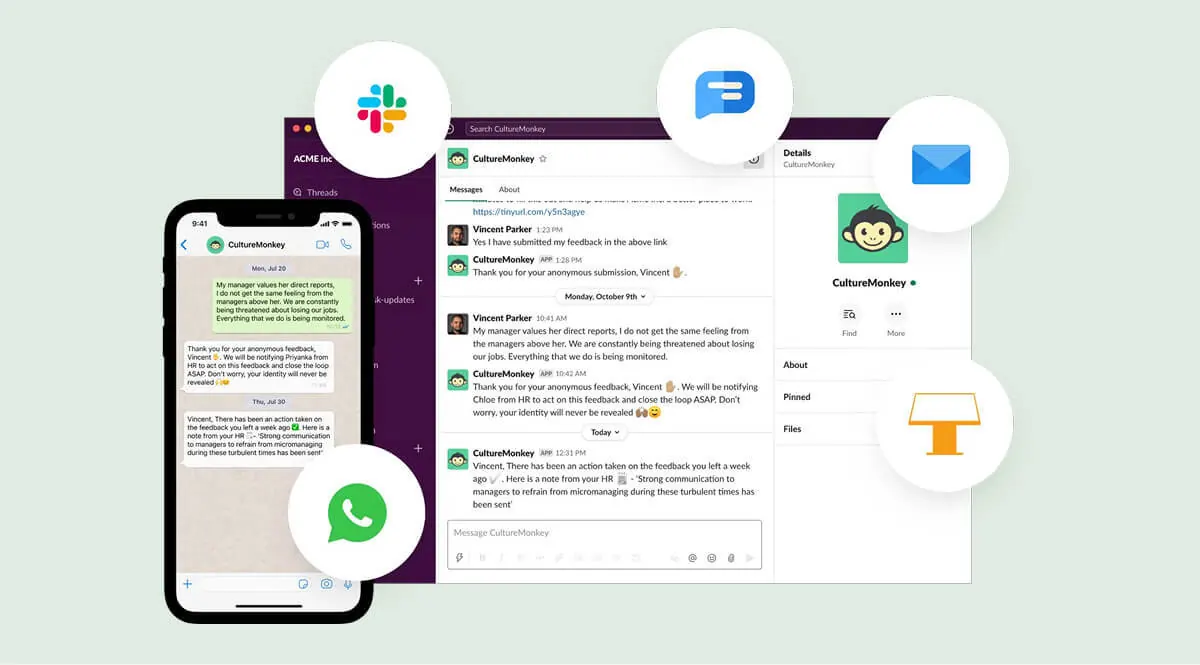
CultureMonkey omnichannel pulse survey delivery via WhatsApp, Slack, and Teams with anonymous feedback and action loop closure

CultureMonkey omnichannel pulse survey delivery via WhatsApp, Slack, and Teams with anonymous feedback and action loop closure

7+ engagement score, 9+ eNPS across 680+ employees in 35+ U.S. airport locations
7.5/10 engagement, 2,400 responses across 20+ partner companies
Lifecycle listening across a deskless workforce
Kevin Laurendeau, VP of Human Resources, Air General
"

Switching to CultureMonkey was simple to roll out, simple to implement, and simple to communicate to a distributed operations workforce. Within a month and a half of the survey closing, managers were using the data to re-engage their teams. I can't imagine it happening any easier.

Kevin LaurendeauLinkedIn →
Vice President of Human Resources · Air General
Read case study →

Standout features

  • Multilingual omni-channel delivery: 100+ languages via email, Teams, Slack, WhatsApp, text messages, QR codes, and kiosks.
  • Text feedback analytics: analyzes open comments and flags critical issues for follow-up automatically.
  • Role-based access and anonymity: ensures leaders only see the level of detail appropriate to their role, with threshold-based suppression.
  • Action planning: manager dashboards with recommended actions attached; team-level drill-downs close the feedback loop.
  • 17+ HRIS integrations: connects with Workday, Darwinbox, SAP, Oracle, and more for automatic employee sync.

Strengths

  • Full lifecycle listening (pulse, onboarding, engagement, and exit) in one automated layer without separate add-ons.
  • Team-level results surface directly in manager dashboards with recommended actions, closing the feedback loop without HR having to cascade results manually.
  • Multi-channel delivery via WhatsApp, QR codes, kiosk mode, and email reaches every employee regardless of role or location.

Limitations editorial

  • Built for organizations of 1,000+ employees. Smaller teams, and HR teams that want a self-serve setup with no configuration, will find the enterprise rollout heavier than they need.
  • Teams not running any HRIS integration will benefit less from the automated sync capabilities.

Who shouldn't use this

Not the fit for small teams that need a lightweight, self-serve pulse tool.

Verdict

CultureMonkey is the right choice for enterprise teams that need pulse surveys to reach every employee across locations, languages, and roles, with HRIS sync and manager-level action planning.

Best for enterprise teams running continuous pulse listening across multilingual and distributed workforces.

Jotform

SMB & Mid-market4.7/5 on G2, May 2026 · 500+ employees↗ Website

Jotform helps businesses build advanced feedback workflows and pulse surveys without needing code, making it a strong option for HR and operations teams that have outgrown basic form tools. Trusted by over 35 million users worldwide, the platform combines a powerful drag-and-drop builder with advanced conditional logic to customize internal surveys based on employee roles. It supports automated data collection, multipage surveys, and instant reporting to streamline workplace feedback loops in one centralized place.

PricingFree tier; from $34/mo
Company size500+ employees
Integrations and channelsSlack · Salesforce · Google Drive · HubSpot
Best if replacingTeams ready for automated pulse survey workflows
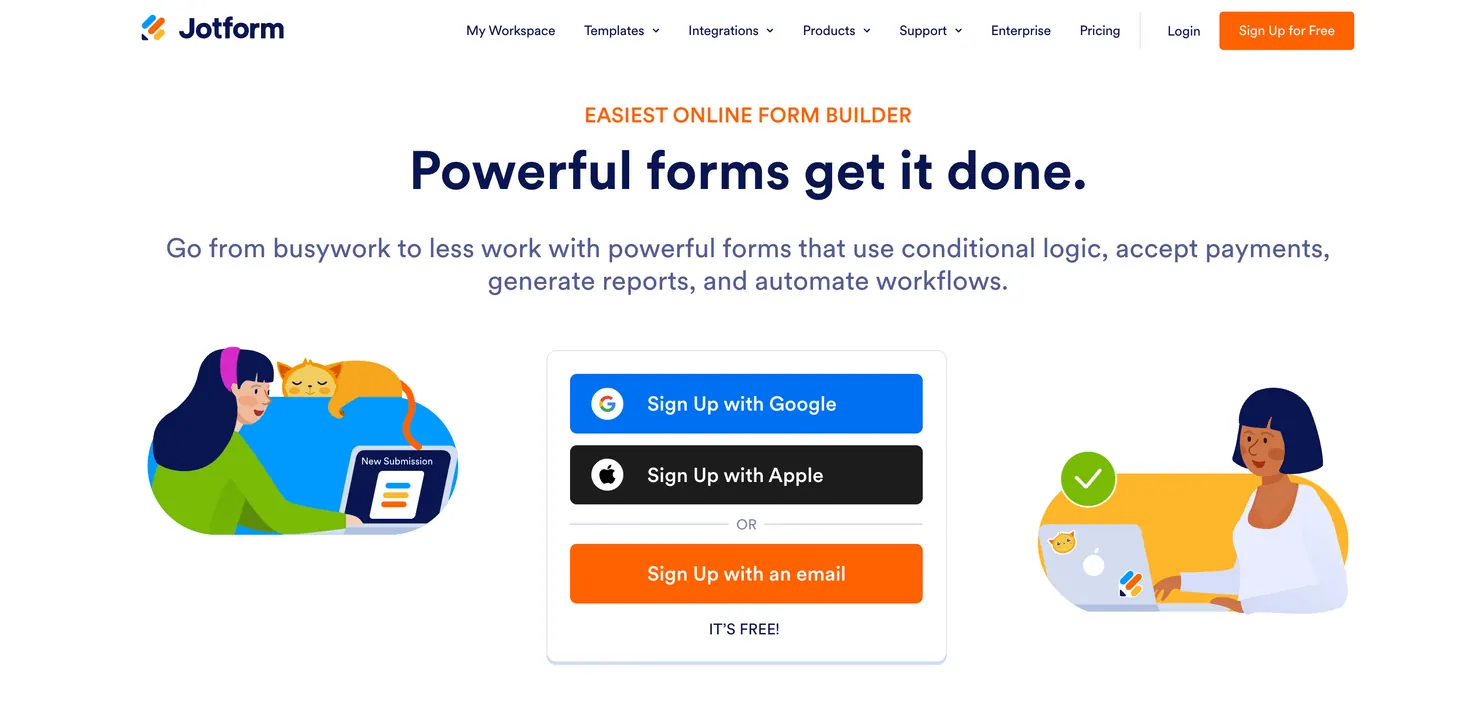
Jotform homepage showing no-code form builder with conditional logic, workflow automation, and reporting features

Jotform homepage showing no-code form builder with conditional logic, workflow automation, and reporting features

Standout features

  • No-code survey building: combines a visual drag-and-drop creator with custom themes, fonts, and company branding to build professional pulse surveys in minutes.
  • Conditional logic and multipage forms: dynamically changes survey paths based on employee answers, ensuring relevant questioning and high response rates.
  • Automated feedback workflows: routes survey responses through automated approval chains and notifications to speed up internal operations.
  • 150+ business integrations: automatically syncs employee feedback data directly to tools like Slack, Salesforce, Google Drive, Asana, and HubSpot.
  • Visual reporting dashboards: generates instant charts and data summaries from survey submissions to turn workplace sentiment into actionable insights.

Strengths

  • Massive library of ready-to-use survey templates allows HR teams to launch pulse programs almost instantly.
  • Deep customization with advanced widgets and conditional logic outclasses basic standard form builders.
  • Highly versatile; handles employee onboarding feedback, regular pulse checks, and operational approvals in a single contract.

Limitations editorial

  • Some advanced customization and high-scale operational automation features require upgrading to higher-tier business plans.
  • Designed as a versatile data collection and general workflow automation tool rather than a niche, dedicated employee-sentiment tracking platform.

Who shouldn't use this

Not the fit for HR teams that want a dedicated employee-sentiment platform with built-in anonymity thresholds, driver analysis, and HRIS-driven action planning rather than a general form and workflow builder.

Verdict

Jotform is the right choice for growing businesses and operations teams that want a flexible, highly customizable, and automated pulse survey program without the overhead or complexity of enterprise-only HR suites.

Best for SMB and mid-market teams that want no-code pulse surveys with advanced form logic and workflow automation.

TINYpulse

SMB4.4/5 on G2, May 2026 · 50+ employees↗ Website

TINYpulse built its product around a single question delivered weekly alongside an anonymous suggestion box and peer recognition layer. The lightweight approach makes it fast to launch with minimal configuration and easy for managers to act on. Organizations that need driver analysis, lifecycle surveys, or frontline channel delivery will need a different platform.

PricingContact sales
Company size50+ employees
Integrations and channelsSlack · Teams · BambooHR
Best if replacingManual quarterly morale check-ins that are not anonymous
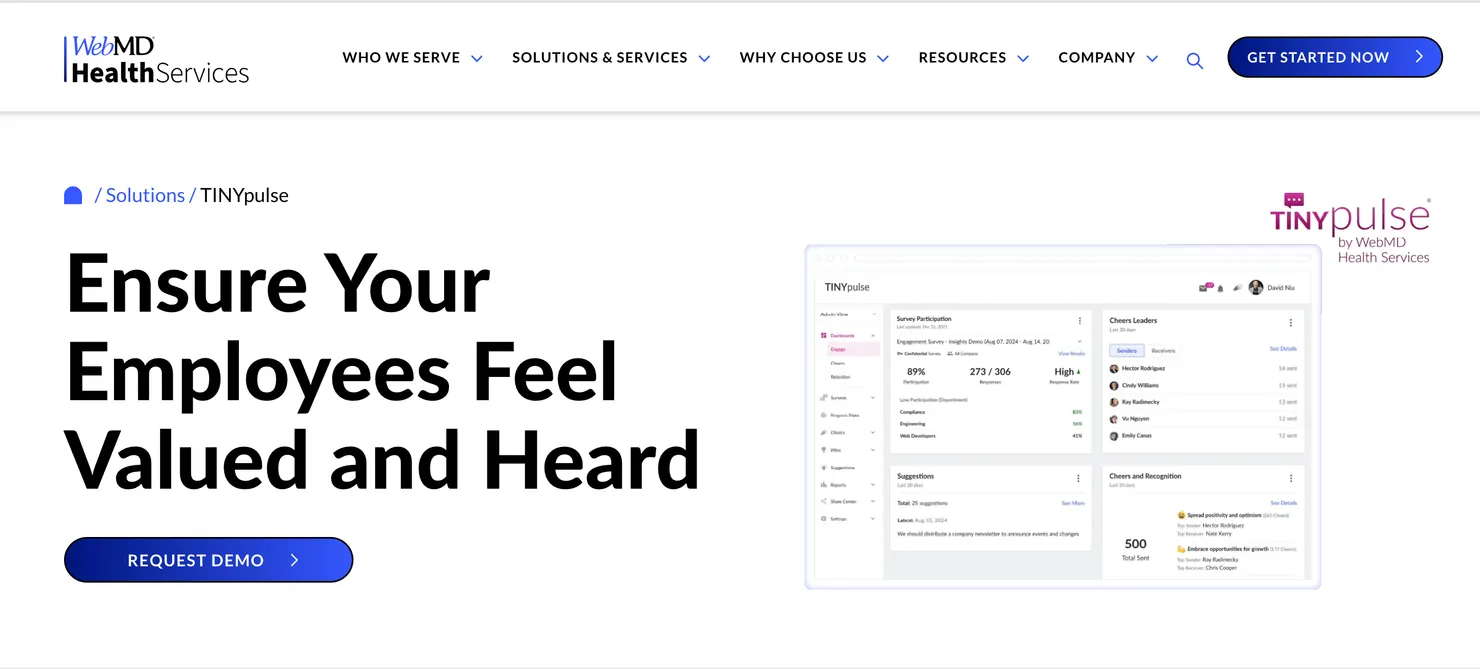
TINYpulse weekly pulse question and anonymous suggestion inbox view

TINYpulse weekly pulse question and anonymous suggestion inbox view

Standout features

  • Weekly single-question pulse: delivers one question per week to reduce survey fatigue while maintaining a continuous sentiment signal.
  • Anonymous suggestions: gives employees a private channel to share concerns outside the survey structure.
  • Peer recognition (Cheers for Peers): lightweight recognition feature alongside pulse data.
  • Manager digest: weekly summary of team sentiment and suggestions delivered to managers automatically.
  • Slack and Teams delivery: surveys arrive inside tools employees already use, without a separate login.

Strengths

  • Extremely fast to launch; minimal configuration needed before the first survey goes out.
  • Anonymous suggestion box runs continuously alongside pulse data, not just after survey close.
  • Manager digests reduce the time between data collection and action at the team level.

Limitations editorial

  • Limited driver analysis compared to dedicated engagement platforms; the single-question format trades depth for simplicity.
  • No frontline or WhatsApp delivery. Question customization is constrained by the weekly single-question format.

Who shouldn't use this

Not the fit for enterprise teams that need segmented analytics, lifecycle surveys, or frontline channel coverage.

Verdict

TINYpulse is the right choice for small teams that want a fast, low-overhead pulse program with an anonymous feedback channel.

Best for SMB teams that want a lightweight pulse program without complex setup.

Workday Peakon

Enterprise4.6/5 on G2, May 2026 · 1,000+ employees↗ Website

Workday Peakon is the natural pulse survey choice for organizations already running Workday HCM. Employee roster data flows automatically, org hierarchy stays current without manual uploads, and results surface directly inside the Workday environment. Organizations not on Workday will find the integration advantage disappears and the platform becomes harder to justify on its own.

PricingContact sales
Company size1,000+ employees
Integrations and channelsNative Workday HCM
Best if replacingTools requiring manual CSV uploads
Workday Peakon Employee Voice dashboard showing continuous listening scores and manager coaching nudges

Workday Peakon Employee Voice dashboard showing continuous listening scores and manager coaching nudges

Standout features

  • Native Workday HCM sync: employee data and org hierarchy update automatically without CSV exports or manual maintenance.
  • Continuous listening: automated pulse cadences run in the background without HR needing to trigger each survey cycle.
  • Industry benchmarking: compares engagement scores against Peakon's global dataset by industry and region.
  • Predictive attrition signals: flags employees showing disengagement patterns associated with flight risk before attrition happens.
  • Manager coaching nudges: surfaces recommended actions inside manager views based on team survey results.

Strengths

  • Native Workday data sync eliminates manual roster management entirely for Workday customers.
  • Benchmarking dataset covers a broad enterprise customer base with industry and regional cuts.
  • Predictive attrition signals surface flight risk before turnover happens.

Limitations editorial

  • Implementation timelines typically run eight to twelve weeks with professional services involvement required.
  • The platform's value diminishes significantly for organizations not running Workday as their primary HRIS.

Who shouldn't use this

Not the fit for organizations on other HRIS platforms or teams that need frontline delivery channels beyond email and mobile.

Verdict

Workday Peakon is the right choice when Workday is your system of record and you want continuous pulse listening without a separate data pipeline.

Best for enterprise organizations already running Workday HCM.Switch from Peakon →Peakon alternatives →

15Five

Mid-market4.6/5 on G2, May 2026 · 50+ employees↗ Website

15Five connects weekly pulse check-ins to OKR tracking, goal management, and performance reviews inside one platform. The structured check-in format asks employees to surface wins, blockers, and team sentiment each week. Teams that want pure pulse analytics or frontline delivery will find the performance management focus adds complexity they may not need.

PricingFrom $4/user/mo
Company size50+ employees
Integrations and channelsBambooHR · Rippling · Slack
Best if replacingPulse tools that skip performance connection
15Five manager dashboard showing weekly check-in pulse results alongside OKR and goal progress

15Five manager dashboard showing weekly check-in pulse results alongside OKR and goal progress

Standout features

  • Weekly check-in pulse: a structured 15-minute weekly format capturing sentiment, goal progress, and blockers in one submission.
  • OKR and goal tracking: connects pulse sentiment directly to goal progress so managers see engagement alongside output.
  • Best-Self Review: performance review module linked to pulse history and goal data for context-rich evaluations.
  • Manager effectiveness surveys: measures manager performance through direct report feedback on a structured cadence.
  • BambooHR and Rippling sync: automated roster sync with the two most common mid-market HRIS platforms.

Strengths

  • Pulse data sits alongside OKR progress and performance history in the manager view, with no context switching.
  • Weekly check-in format reduces fatigue compared to traditional quarterly pulses.
  • Transparent self-serve pricing from $4/user/month, the lowest entry point in this list.

Limitations editorial

  • The check-in format can feel prescriptive for teams that want flexible, fully anonymous pulse surveys with custom question sets.
  • No frontline or WhatsApp delivery. The platform's breadth across performance, pulse, and OKRs requires meaningful onboarding time before teams use it fully.

Who shouldn't use this

Not the fit for teams that need pure-play pulse analytics, frontline delivery, or a lightweight setup without performance tooling attached.

Verdict

15Five is the right choice for mid-market teams that want pulse surveys embedded inside a performance management workflow.

Best for mid-market teams connecting pulse surveys to performance and goal tracking.15Five alternatives →

Qualtrics XM

Enterprise4.4/5 on G2, May 2026 · 1,000+ employees↗ Website

Qualtrics XM for employee experience includes predictive attrition modeling, Text iQ open-text analysis, and org-hierarchy drill-downs that most dedicated pulse platforms lack. The pulse module is one part of a broader experience management platform. Organizations without a dedicated people analytics function will underuse it and pay enterprise pricing for capability they cannot operationalize.

PricingContact sales
Company size1,000+ employees
Integrations and channelsSAP · Workday · Oracle · Salesforce
Best if replacingLegacy survey platforms lacking analytics
Qualtrics XM employee experience dashboard showing predictive attrition signals and Text iQ comment themes

Qualtrics XM employee experience dashboard showing predictive attrition signals and Text iQ comment themes

Standout features

  • Adaptive pulse design: uses timing, sampling, and survey logic to reduce over-surveying and prevent fatigue at scale.
  • Text iQ open-text analysis: surfaces trending concerns from employee comments at speed and at scale.
  • Predictive attrition modeling: identifies employees showing disengagement patterns associated with flight risk.
  • Org-hierarchy drill-downs: breaks results down by department, level, and custom demographics across complex org structures.
  • Enterprise compliance controls: regional data hosting options to support GDPR and data localization requirements.

Strengths

  • Research-grade analytics depth not available in most dedicated pulse tools.
  • Predictive attrition signals surface risk before it becomes turnover.
  • Advanced segmentation for custom demographic cuts beyond standard department filters.

Limitations editorial

  • Significant onboarding curve. Teams without a dedicated analytics function will underuse the platform from day one.
  • Implementation for enterprise programs typically requires eight to twelve weeks with professional services involvement.

Who shouldn't use this

If your HR team runs surveys without analyst support, the platform's depth will go unused and the complexity will slow you down from day one.

Verdict

Qualtrics XM is the right choice if you have a dedicated people analytics function and need predictive modeling alongside pulse surveys.

Best for enterprise organizations with a dedicated people analytics team.CultureMonkey vs Qualtrics XM →Qualtrics alternatives →

Vantage Circle

Mid-market4.7/5 on G2, May 2026 · 200+ employees↗ Website

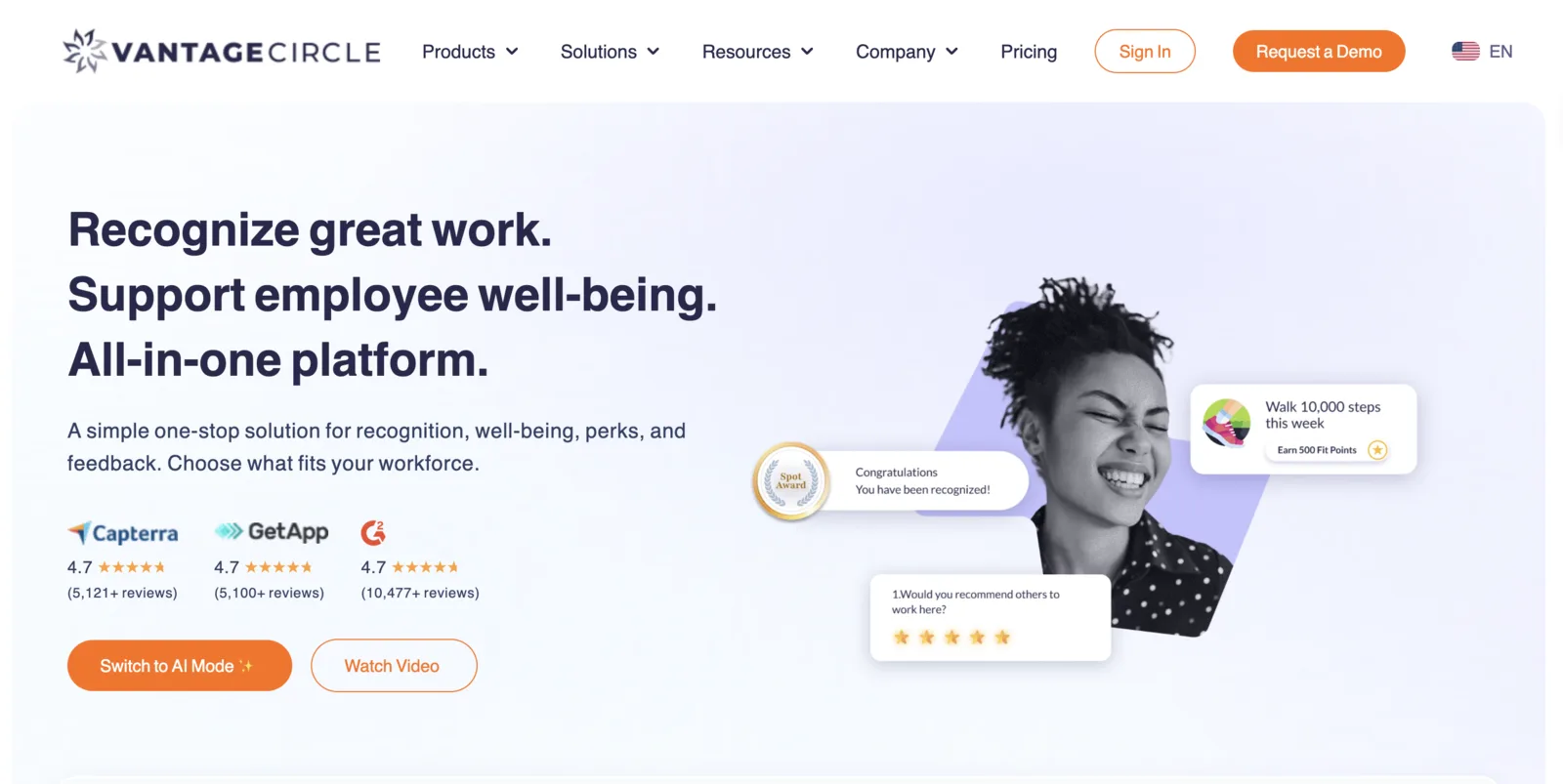
Vantage Circle combines eNPS-style pulse surveys with a built-in employee rewards marketplace spanning 70+ countries. The survey layer tracks sentiment while the rewards layer enables recognition in one platform, without switching tools. Teams that need pure pulse listening depth or frontline delivery channels will pay for features outside their use case.

PricingContact sales
Company size200+ employees
Integrations and channelsSlack · Teams · BambooHR
Best if replacingBasic eNPS tools without rewards
Vantage Circle dashboard showing eNPS pulse survey results and rewards activity

Vantage Circle dashboard showing eNPS pulse survey results and rewards activity

Standout features

  • eNPS pulse surveys: tracks employee Net Promoter Score alongside engagement drivers on a continuous cadence.
  • Rewards marketplace: recognition delivered immediately alongside survey feedback, connecting sentiment to action in one platform.
  • Global reach: operates across 70+ countries with multi-currency reward support for distributed teams.
  • Analytics dashboard: tracks participation trends, sentiment shifts, and recognition activity in a unified view.
  • HRIS integrations: connects with Slack, Teams, and BambooHR for roster sync and survey delivery.

Strengths

  • Combined pulse and rewards layer in one platform, with no separate tools or logins.
  • Global rewards catalogue covering 70+ countries with multi-currency support.
  • eNPS tracking built into the core product alongside engagement driver analysis.

Limitations editorial

  • The survey module feels secondary to the rewards features for some users, with less driver analysis depth than dedicated engagement platforms.
  • Customization of survey questions is more limited than enterprise-grade tools designed specifically for continuous listening programs.

Who shouldn't use this

If your primary need is deep engagement driver analysis or frontline delivery channels, the rewards focus makes it a partial fit.

Verdict

Vantage Circle is the right choice if your team wants pulse surveys and employee recognition in a single platform with global rewards reach.

Best for mid-market teams that want pulse surveys and recognition in one platform.

Workleap Officevibe

SMB4.3/5 on G2, May 2026 · 50+ employees↗ Website

Workleap Officevibe delivers a weekly pulse question to employees via Slack or Teams with a manager dashboard that surfaces team sentiment in real time. The free tier makes it the fastest entry point for small teams with no HR budget for pulse tooling. Enterprise teams that need segmented analytics, HRIS sync, or frontline delivery will outgrow it quickly.

PricingFrom $5/user/mo
Company size50+ employees
Integrations and channelsSlack · Teams · Google Workspace
Best if replacingTools with no manager dashboards
Workleap Officevibe manager dashboard showing team sentiment score and weekly pulse response summary

Workleap Officevibe manager dashboard showing team sentiment score and weekly pulse response summary

Standout features

  • Weekly pulse nudges: automated weekly question delivered via Slack or Teams with no survey setup required.
  • Manager-first dashboard: team sentiment surfaces directly in manager view without routing through HR.
  • Anonymous messaging: employees can send anonymous messages to their manager alongside pulse responses.
  • Free tier: available for small teams without an HR budget for dedicated pulse tooling.
  • Custom surveys: beyond the weekly pulse, managers can send ad hoc surveys for specific feedback needs.

Strengths

  • Fastest time-to-launch of any tool in this list. Runs inside Slack or Teams, and most teams launch within one to two weeks.
  • Free tier available for small teams with no dedicated HR budget.
  • Manager-first design puts sentiment data in front of the person best positioned to act on it.

Limitations editorial

  • Limited analytics depth for enterprise reporting needs. No HRIS sync for automated roster management.
  • Fixed question bank limits customization for specialized survey programs beyond the weekly pulse format.

Who shouldn't use this

Not the fit for enterprise teams that need segmented analytics, HRIS integration, or frontline delivery channels.

Verdict

Workleap Officevibe is the right choice for small teams that want a zero-friction pulse program running inside Slack or Teams.

Best for small teams that want fast, low-overhead pulse surveys inside Slack or Teams.Officevibe alternatives →

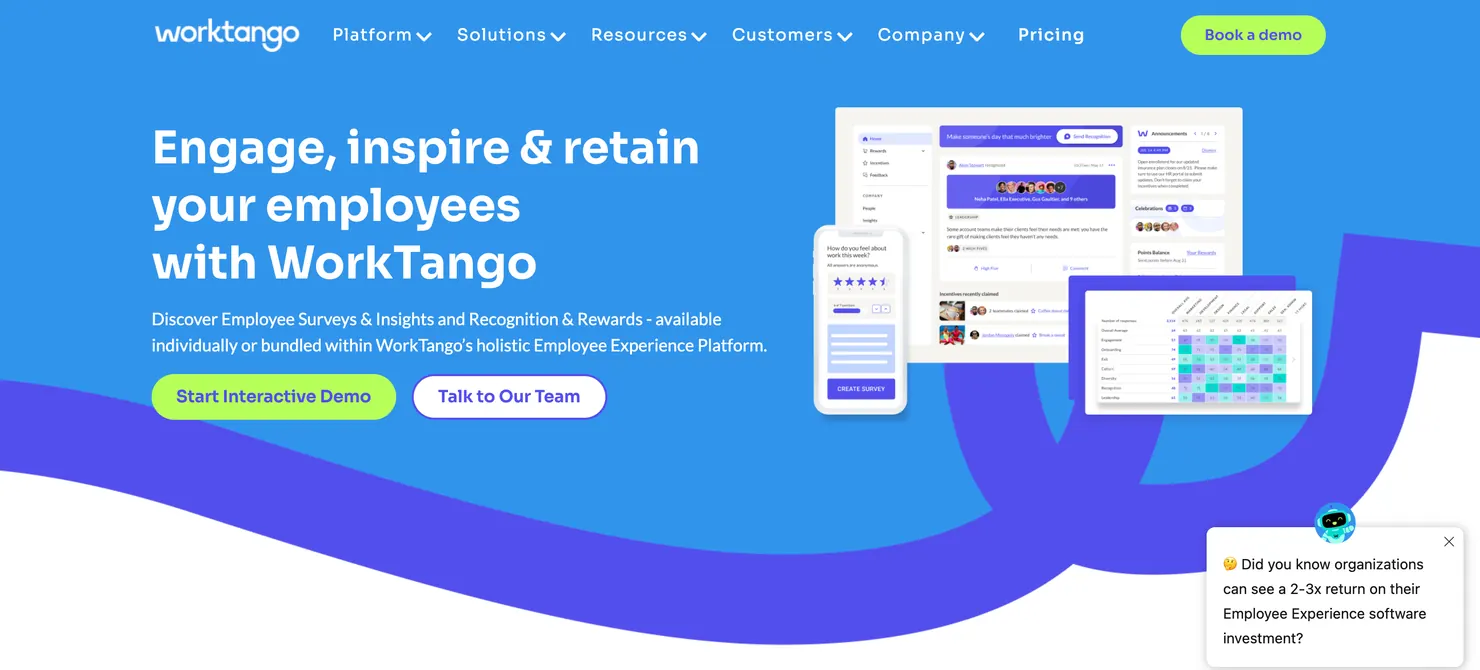
WorkTango

Mid-market4.7/5 on G2, May 2026 · 200+ employees↗ Website

WorkTango combines pulse surveys with peer recognition and anonymous employee conversations in one employee experience platform. The recognition layer allows HR to connect survey-identified sentiment gaps directly to recognition programs without switching tools. Teams that need pure pulse analytics depth or frontline delivery will find the combined platform broader than their needs.

PricingContact sales
Company size200+ employees
Integrations and channelsADP · Workday · BambooHR · Slack
Best if replacingSeparate recognition and survey platforms
WorkTango employee experience platform showing pulse survey results alongside peer recognition feed

WorkTango employee experience platform showing pulse survey results alongside peer recognition feed

Standout features

  • Pulse surveys with action planning: structured pulse cadences with manager action assignments built into the results view.
  • Peer recognition: recognition delivered alongside pulse data in the same employee experience layer, with no separate tool required.
  • Anonymous conversations: employees can engage in private dialogue with HR or managers beyond the survey structure.
  • Real-time sentiment tracking: dashboard tracks sentiment shifts between pulse cycles in near real time.
  • ADP and Workday sync: automated roster management for mid-market organizations on common HRIS platforms.

Strengths

  • Recognition and pulse surveys in one platform without separate tools or logins.
  • Anonymous conversation feature gives employees a channel beyond the survey format.
  • Strong mid-market HRIS integrations including ADP and Workday.

Limitations editorial

  • The combined scope across recognition and surveys requires more onboarding time than a pure-play pulse tool.
  • No frontline or WhatsApp delivery options for deskless workforces.

Who shouldn't use this

Not the fit for teams that need frontline delivery or enterprise-grade analytics depth.

Verdict

WorkTango is the right choice for mid-market teams that want pulse surveys and employee recognition managed inside one platform.

Best for mid-market teams that want pulse surveys and recognition in one platform.

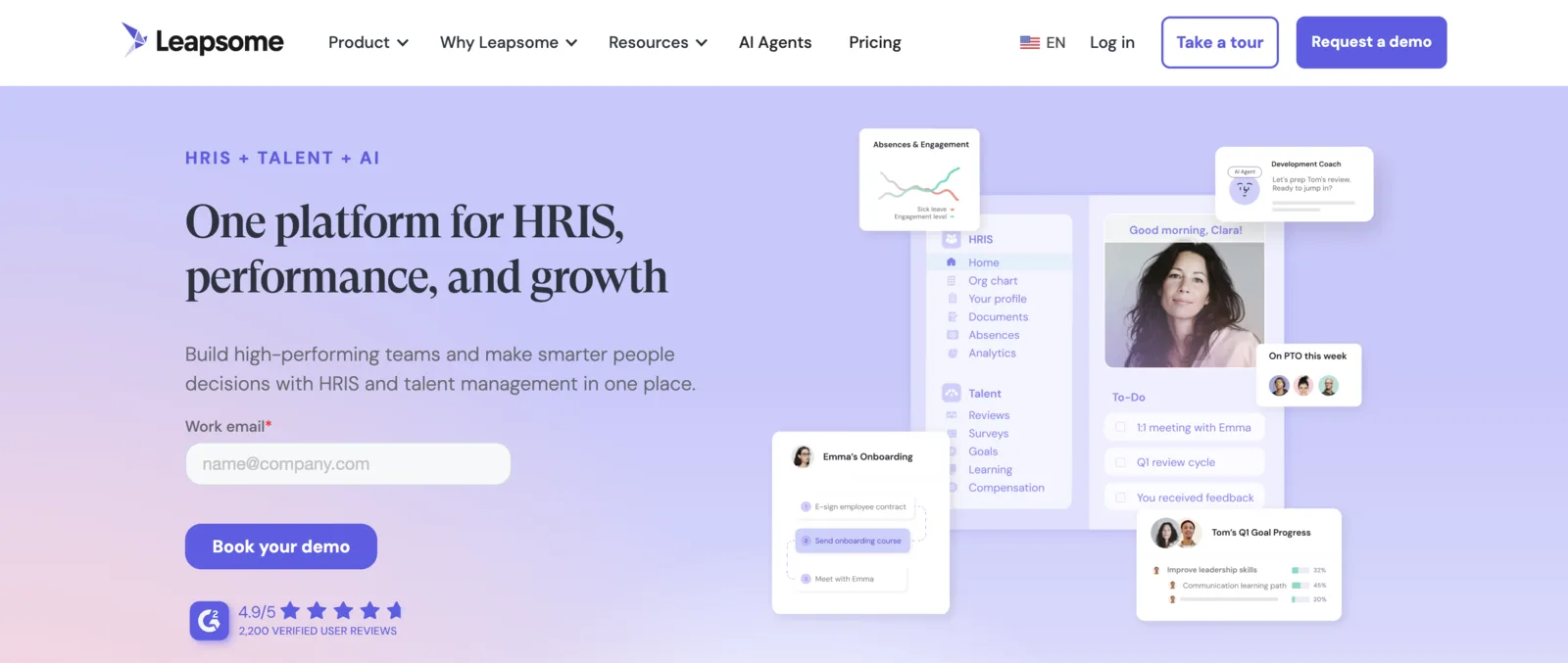
Leapsome

Mid-market4.5/5 on G2, May 2026 · 50+ employees↗ Website

Leapsome connects pulse surveys to performance reviews, goal tracking, and learning paths inside a people enablement platform. Pulse results inform development conversations and goal-setting cycles, closing the loop between listening and growth. Teams that want a standalone pulse tool without the performance and learning overlay will pay for features outside their use case.

PricingContact sales
Company size50+ employees
Integrations and channelsBambooHR · Workday · Slack
Best if replacingTools disconnected from performance and learning
Leapsome people enablement platform showing pulse survey insights connected to performance review and learning paths

Leapsome people enablement platform showing pulse survey insights connected to performance review and learning paths

Standout features

  • Pulse surveys integrated with performance: survey results surface alongside review history and goal progress in the manager view.
  • Goal tracking: OKR and goal management connected to pulse sentiment for context-rich performance conversations.
  • Learning paths: connects development recommendations to engagement driver gaps identified in pulse data.
  • 360 feedback: multi-directional feedback integrated with pulse and review data in one employee record.
  • Benchmarking: compares engagement scores against Leapsome's customer dataset by industry and company size.

Strengths

  • People enablement approach connects pulse data to growth and development, not just reporting.
  • Goal tracking and learning integration go beyond what most pure-play pulse tools offer.
  • 360 feedback and pulse in a single employee record eliminates context switching for managers.

Limitations editorial

  • Platform breadth requires significant configuration before the full value is accessible to most HR teams.
  • No frontline or WhatsApp delivery for deskless workforces.

Who shouldn't use this

Not the fit for teams that want a lightweight standalone pulse tool or enterprise organizations that need frontline channel delivery.

Verdict

Leapsome is the right choice for mid-market teams that want pulse surveys embedded inside a broader performance and development workflow.

Best for mid-market teams connecting pulse surveys to performance and development cycles.Leapsome alternatives →

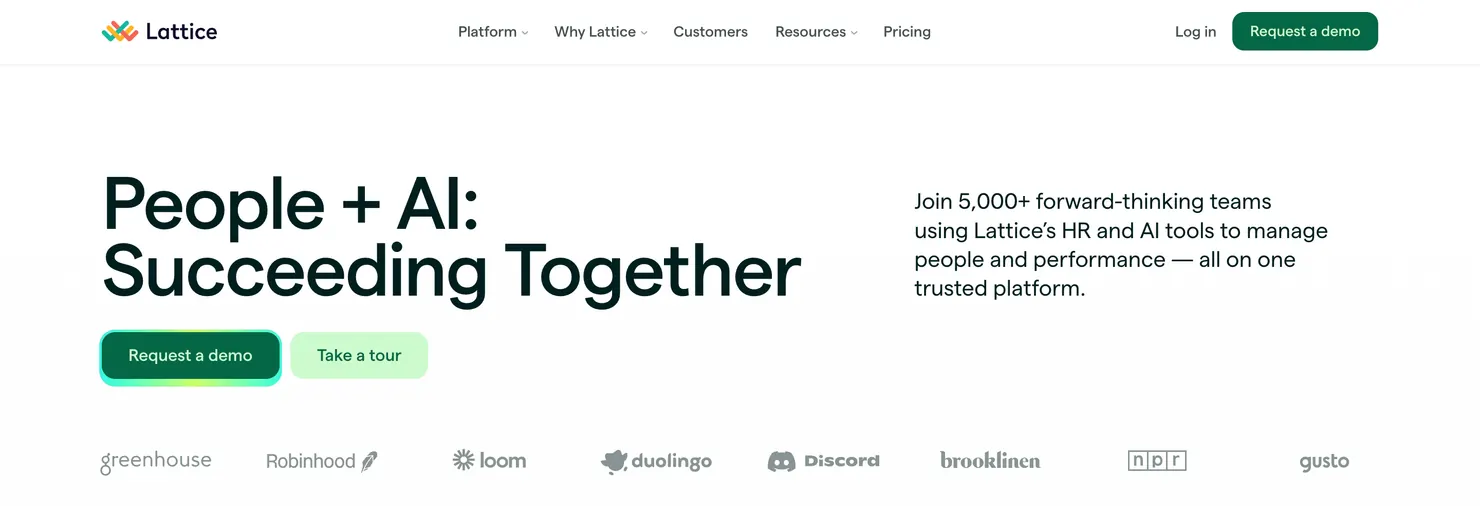
Lattice

Mid-market4.7/5 on G2, May 2026 · 100+ employees↗ Website

Lattice surfaces pulse survey results alongside performance review history and goal progress in a unified employee record. Managers see engagement trends in the same view where they track OKRs and review outcomes, connecting sentiment to output without switching tools. Teams that want a pure-play pulse platform without the performance management layer will pay for features they may not use.

PricingFrom $11/user/mo
Company size100+ employees
Integrations and channelsBambooHR · Workday · Rippling
Best if replacingTools with no connection to performance reviews
Lattice unified employee record showing pulse engagement results alongside performance review history and OKR progress

Lattice unified employee record showing pulse engagement results alongside performance review history and OKR progress

Standout features

  • Unified employee record: pulse results, performance reviews, and goal progress in one manager view, with no context switching.
  • Engagement surveys: full engagement survey capability alongside pulse, with driver analysis and trend tracking.
  • OKR tracking: goal management connected to pulse data so managers see sentiment alongside output.
  • 1:1 templates: structured check-in agendas informed by pulse results and goal status.
  • BambooHR and Workday sync: automated roster management for mid-market HR teams on common HRIS platforms.

Strengths

  • Pulse data sits inside the same record as performance reviews and goals, eliminating context switching for managers.
  • G2 4.7.
  • Transparent self-serve pricing from $11/user/month.

Limitations editorial

  • Scope across performance, pulse, and goals creates a steeper learning curve than a dedicated pulse tool.
  • No frontline or WhatsApp delivery for deskless workers.

Who shouldn't use this

Not the fit for teams that need a lightweight standalone pulse tool or enterprise organizations with frontline workforce delivery requirements.

Verdict

Lattice is the right choice for mid-market teams that want pulse surveys connected to performance management inside one platform.

Best for mid-market teams that want pulse surveys connected to performance reviews and goal tracking.Lattice alternatives →

Quantum Workplace

Mid-market4.4/5 on G2, May 2026 · 200+ employees↗ Website

Quantum Workplace uses a scientifically validated survey model with custom demographic filters and industry benchmarking to help mid-market HR teams move from survey data to structured action plans. The platform's strength is in its validated question set and external benchmark data; it is not a fit for organizations that need frontline delivery or deep HRIS sync.

PricingContact sales
Company size200+ employees
Integrations and channelsADP · BambooHR · Slack
Best if replacingEngagement tools without validated survey models
Quantum Workplace engagement dashboard showing validated survey scores with demographic filter and industry benchmark comparison

Quantum Workplace engagement dashboard showing validated survey scores with demographic filter and industry benchmark comparison

Standout features

  • Scientifically validated survey model: question set validated by Quantum's research team and benchmarked against a broad dataset.
  • Custom demographic filters: slice results by department, tenure, location, and custom attributes beyond standard segments.
  • Industry benchmarking: compares engagement scores against Quantum's benchmark dataset by industry.
  • Action planning: structured goal-setting within the platform to track follow-through after survey close.
  • ADP and BambooHR sync: roster sync for mid-market organizations on common HRIS platforms.

Strengths

  • Scientifically validated question set reduces survey design risk for mid-market HR teams.
  • Demographic filtering depth beyond what lightweight tools offer.
  • Benchmarking dataset provides external context for teams without a people analytics function.

Limitations editorial

  • Some users report the interface is less intuitive than newer platforms in this space.
  • No frontline or WhatsApp delivery. Integration depth is narrower than enterprise platforms.

Who shouldn't use this

Not the fit for teams that need frontline delivery or enterprise-grade integration depth.

Verdict

Quantum Workplace is the right choice for mid-market teams that want a validated pulse survey model with demographic segmentation and external benchmarking.

Best for mid-market teams that want scientifically validated pulse surveys with demographic segmentation.
The short answer

The best pulse survey tools in 2026, ranked by use-case fit.

Match your scenario and jump to the full review.

Already running Workday HCM
Workday Peakon
Native Workday sync means no CSV uploads, no lag when org charts change, and no reconciliation work for HR ops.
G2 4.6
Performance + pulse in one platform
15Five
Combines weekly check-ins, OKR tracking, and pulse surveys in a single platform without needing separate tools.
G2 4.6
Science-backed external benchmarking
Culture Amp
Validated survey frameworks with external benchmarks across industries. Strong driver analysis for mid-market people teams.
G2 4.5
Pulse connected to performance reviews
Lattice
Pulse results and performance data live in the same employee record, making it easy to identify patterns across engagement and output.
G2 4.7
In 30 seconds

The shortest path to the right pulse survey tool.

Under 500 employees, no HRIS
Already running Workday
Go directly to Workday Peakon
Performance + pulse in one platform
Look at Lattice or 15Five
Engagement + recognition together
No-code pulse surveys with advanced form logic
Shortcut · by workforce type

Which pulse tool fits your workforce?

Workforce type is the single fastest filter. Match the row that describes your team.

Workforce typeBest-fit toolWhy it fits
Enterprise pulse with lifecycle and AI analytics
Multilingual or distributed teams
CultureMonkey
Min. 1,000+
Lifecycle surveys, manager dashboards, AI sentiment analysis, HRIS sync, and multi-channel delivery including WhatsApp and QR codes for full workforce reach.
Desk-based, mid-market
500+ employees
Culture Amp
Min. 500+
Science-backed pulse templates, driver analysis, and industry benchmarks.
Enterprise, analytics-led
Dedicated people analytics team
Qualtrics XM
Min. 1,000+
Research-grade analytics and predictive modeling for teams that build their own models.
Workday HCM users
Workday is system of record
Workday Peakon
Min. 1,000+
Native Workday sync, no CSV uploads, org hierarchy auto-updates.
Performance + pulse
Goal tracking and reviews in one
15Five or Lattice
Mid-market
OKRs, weekly check-ins, performance reviews, and pulse surveys in one platform.
Engagement + recognition
Recognition built in
WorkTango or Vantage Circle
200+
Pulse surveys and peer recognition in one employee experience layer.
Small team, lean HR
Under 500 employees
Workleap Officevibe or TINYpulse
Self-serve
Fast setup, transparent pricing, weekly pulse nudges without a dedicated HR analyst.
No-code pulse with workflow automation
Operations or HR teams using form builders
Jotform
500+
Drag-and-drop survey builder with conditional logic, automated approval chains, and 150+ integrations for teams that want pulse surveys without code.
By industry

Strongest fits by industry

Industry shapes workforce structure, and workforce structure decides which pulse survey software can actually reach your people. The picks below follow the same evaluation framework as the full reviews.

Retail & frontline

Most retail and frontline workers never see a corporate inbox, so email-only pulse tools systematically undercount them. Delivery channel coverage is the deciding criterion before any feature comparison.

  • CultureMonkey: WhatsApp, QR code, text message, and kiosk delivery reaches workers without corporate email

Manufacturing & industrial

Shift patterns and shared workstations make QR code and kiosk delivery more reliable than email, and multilingual support matters on multilingual floors.

  • CultureMonkey: QR code and kiosk mode delivery with 100+ languages
  • Qualtrics XM: for analytics-led industrial enterprises with a people analytics function

Financial services & banking

Compliance and data residency requirements narrow the field, and most of the workforce is desk-based with corporate email.

  • Workday Peakon: regional data hosting and native sync for Workday environments
  • Qualtrics XM: enterprise compliance controls including regional data hosting
  • Culture Amp: science-backed benchmarking for desk-based teams

Technology & SaaS

Desk-based, Slack-and-Teams-native teams get the most from pulse tools that connect sentiment to performance and goals.

  • Lattice: pulse results alongside performance reviews and OKRs
  • 15Five: weekly check-ins with goal tracking
  • Leapsome: pulse connected to development and learning paths
CultureMonkey People Science · Frontline Benchmark · 2026
34%
Average participation gap between frontline and desk-based workers on email-only pulse tools
2.3×
Higher participation rate when surveys are delivered via WhatsApp vs. corporate email for frontline teams
67%
Of HR programs that collect pulse data take more than 4 weeks to share results with managers
11 pts
Average drop in eNPS when employees receive 3+ surveys in a month with no visible follow-up action

Based on anonymized analysis of ~11M employee survey responses across manufacturing, retail, hospitality and finance. Source: CultureMonkey's Employee Engagement Benchmarks, Q3 2026, culturemonkey.io/benchmarks/.

The buying decision

How to choose employee pulse survey software

Choose employee pulse survey software by checking five things in order: how it reaches every employee, how it protects anonymity, how it helps managers act on results, how deeply it syncs with your HRIS, and how it controls survey fatigue. Then match the pricing model and rollout time to your team size.

Most employee pulse survey tools look alike in a demo. The gaps show up after launch: frontline staff who never open an email invite, subgroups too small to report, or results that never reach a manager. The framework below weights these five dimensions, and every one of the 13 reviews is written against them.

An employee pulse survey platform also has to fit how your people work. Desk-based teams can answer inside Slack or Microsoft Teams. Deskless and multilingual teams need SMS, WhatsApp, QR codes, or kiosks, with each survey in the employee's own language.

AI pulse survey tools

AI pulse survey tools read open-text comments and group them by sentiment and topic, so HR teams can act on thousands of responses without reading each one. When you compare AI features, check three things: whether the analysis reads each comment in the context of the question asked, whether managers see summaries for their own teams only, and whether small groups stay protected by the anonymity threshold. Among the 13 tools in this guide, Culture Amp, CultureMonkey, and Qualtrics XM offer AI analysis of open-text feedback.

Frontline reach

Why distribution changes which pulse tool you pick

Pulse tools that reach only email-accessible employees are measuring a subset of the workforce. For frontline, deskless, and multilingual teams, channel architecture is the most important selection criterion, not features.

The CultureMonkey People Science benchmark above puts numbers on the gap: participation collapses for frontline workers on email-only pulse tools and multiplies when surveys arrive over WhatsApp instead of corporate email.

Email-only platforms systematically exclude retail, manufacturing, hospitality, and field service employees who lack corporate accounts. WhatsApp, QR code, and text message delivery reaches workers on the devices they already use, with no app install required. If your workforce includes frontline teams, check a platform's channel list before its feature list, and see this guide on how to survey frontline employees.

The expert view
"The platforms that win in distributed organizations are not the ones with the most features. They are the ones that reach every employee in the channel they actually use, and give managers a specific action within 48 hours of survey close."
Alexis Fink, Founder, Propeller Insight
Alexis FinkLinkedIn →
Founder, Propeller Insight · 20+ years in workforce analytics
CultureClub X · S06 E10 →

Alexis goes deeper on these themes on CultureClub X in "What AI Really Changes About Roles, Risk, and EX", covering role transformation, risk, and employee experience as AI lands in the workplace.

The Evaluation Framework

Five dimensions that separate a good pulse tool from a great one.

The best way to evaluate a pulse survey tool is to score it on five weighted dimensions: distribution channel depth, anonymity threshold design, action loop closure, HRIS sync depth, and survey frequency and fatigue controls.

Most HR teams evaluate pulse survey tools by looking at pricing pages and sitting through demos. This guide takes a different approach: 13 platforms evaluated across five dimensions that predict whether a tool will actually change employee sentiment, not just collect it.

Most platforms in this category run surveys. Fewer close the loop. Here are the five things that actually separate tools that collect pulse data from tools that change behavior.

How we scoredWeights sum to 100%
30%Distribution channel depthChannels available for delivery
25%Anonymity threshold designThreshold design and role-based access
20%Action loop closureManager tools and follow-through workflow
15%HRIS sync depthNative connectors and auto-sync frequency
10%Survey frequency and fatigue controlsFatigue prevention and sampling logic

Evaluation period: January to September 2026. Pricing from vendor sites and G2. Not covered: sentiment quality, vendor roadmap promises, or custom implementation outcomes.

01

Distribution channel depth

Pulse tools that reach only email-accessible employees are measuring a subset of the workforce. For frontline, deskless, and multilingual teams, channel architecture is the most important selection criterion, not features.

  • Email-only platforms systematically exclude retail, manufacturing, hospitality, and field service employees who lack corporate accounts.
  • WhatsApp, QR code, and text message delivery reaches workers on the devices they already use, with no app install required.
  • CultureMonkey delivers pulse surveys through six channels: email, SMS, WhatsApp, Slack, Microsoft Teams, and QR codes.
"Which channels does this platform support natively, and what happens to employees without a corporate email address?"
02

Anonymity threshold design

Most platforms claim anonymity, but a purpose-built anonymous feedback tool treats it as architecture rather than a setting. The question to ask: what happens when a team of four submits three responses?

  • Aggregate anonymity pools responses across teams. Small groups can still be exposed unintentionally.
  • Threshold anonymity suppresses results for any group below a minimum respondent count, typically five. Protects small teams but creates reporting blind spots.
  • Role-based visibility ensures managers only see their own team's data when it clears the threshold. This is the standard that builds genuine psychological safety.
"What is your minimum threshold, who can see raw responses, and can an admin override anonymity settings?"
03

Action loop closure

The gap between survey data and workplace change is where most pulse programs fail. High frequency with no visible action accelerates disengagement faster than no survey at all, and closing that gap starts with knowing how to interpret your pulse survey metrics.

  • Results should surface automatically in manager dashboards, not buried in an HR report that takes weeks to share.
  • The platform should recommend specific actions based on low-scoring drivers, not generic advice.
  • Managers should be able to assign ownership, set deadlines, and track progress inside the same tool.
"After the survey closes, what does a manager see, and what specific action can they take inside the platform?"
04

HRIS sync depth

Manual CSV uploads introduce lag, errors, and HR overhead. Automated bi-directional sync keeps org hierarchies current without intervention.

  • Pre-built connectors for Workday, BambooHR, Darwinbox, and SAP eliminate manual data management at scale.
  • Org hierarchy sync ensures that when teams change, survey routing and manager visibility update automatically.
  • APAC-region integrations (Darwinbox, Keka, Zoho People) are critical for Indian and Southeast Asian enterprises and available only in a subset of tools.
"Is the roster sync automated or manual, and how often does the org hierarchy refresh?"
05

Survey frequency and fatigue controls

Frequency without design causes fatigue. The best platforms use adaptive cadencing, response-history awareness, and sampling logic to prevent over-surveying.

  • Fixed weekly questions work for small, change-active teams but become noise at scale if not paired with a results-sharing moment.
  • Adaptive cadencing adjusts survey frequency based on team size, response history, and active change periods.
  • Sampling logic rotates question sets across employee groups so no individual is over-surveyed while aggregate data stays statistically valid.
"Does the platform have built-in fatigue controls, and how does it handle employees who respond less than 30% of the time?"
Editorial transparencyG2 scores are sourced from G2.com and verified against current listings. Benchmark statistics come from CultureMonkey's Employee Engagement Benchmarks, Q3 2026, published in full with their methodology. No vendor paid for placement. Last reviewed .
Framework

The 5-dimension pulse tool scorecard

Use the same five weighted dimensions these 13 reviews are written against to evaluate any pulse survey platform, including software not covered on this page. Score each dimension from 1 to 5, weight the result, and drop any tool that fails the dimensions your workforce depends on most.

  1. Distribution channel depth · 30%

    Channels available for delivery. Ask: which channels does this platform support natively, and what happens to employees without a corporate email address?

  2. Anonymity threshold design · 25%

    Threshold design and role-based access. Ask: what is your minimum threshold, who can see raw responses, and can an admin override anonymity settings?

  3. Action loop closure · 20%

    Manager tools and follow-through workflow. Ask: after the survey closes, what does a manager see, and what specific action can they take inside the platform?

  4. HRIS sync depth · 15%

    Native connectors and auto-sync frequency. Ask: is the roster sync automated or manual, and how often does the org hierarchy refresh?

  5. Survey frequency and fatigue controls · 10%

    Fatigue prevention and sampling logic. Ask: does the platform have built-in fatigue controls, and how does it handle employees who respond less than 30% of the time?

What are pulse survey tools?

Pulse survey tools are software platforms that send short, recurring employee surveys, then collect, analyze, and route the responses so HR teams and managers can act on them between annual review cycles. Unlike generic form builders, purpose-built pulse platforms provide anonymity threshold design, delivery channels beyond email, HRIS integrations, and action planning workflows designed for continuous workforce listening. They are the fast-cadence layer of broader employee engagement software.

The category spans lightweight weekly check-in tools a manager reads in minutes, mid-market platforms that connect pulse results to performance and goals, and enterprise listening suites that run pulse, engagement, onboarding, and exit surveys in one layer. The reviews on this page cover all three tiers. If you are evaluating full engagement platforms alongside pulse tools, see the guide to the best employee engagement survey vendors.

Checklist

10 common mistakes to avoid when running pulse surveys

Every mistake below comes from the same failure pattern: collecting pulse data without designing for reach, trust, or follow-through. Each one is avoidable at selection time.

  1. 01
    Surveying without a results-sharing moment

    High frequency with no visible action accelerates disengagement faster than no survey at all. Most HR programs that collect pulse data take weeks to share results with managers, which is too slow for teams to act.

  2. 02
    Choosing an email-only tool for a frontline workforce

    Email-only pulse tools systematically undercount frontline and deskless workers, so the scores you report describe only part of the workforce.

  3. 03
    Treating anonymity as a checkbox

    Most platforms claim anonymity but implementations vary. Ask what happens when a team of four submits three responses, and whether an admin can override anonymity settings.

  4. 04
    Over-surveying without fatigue controls

    eNPS drops measurably when employees receive several surveys a month with no visible follow-up action. Confirm the platform has adaptive cadencing or sampling logic before you commit.

  5. 05
    Reporting on segments too small to be reliable

    Each sub-group needs at least 10 to 15 responses before segmented results are reliable. Below that threshold, individual responses become identifiable, which also creates anonymity risk.

  6. 06
    Skipping HRIS integration checks

    Manual CSV uploads introduce lag, errors, and HR overhead. Confirm whether roster sync is automated and how often the org hierarchy refreshes before signing.

  7. 07
    Running long surveys for frontline teams

    Frontline workers have less time per question than desk-based employees, and surveys longer than three to five questions see sharp completion rate drops.

  8. 08
    Buying more platform than you can run

    An enterprise research suite with no analyst behind it produces less insight than a simpler tool your HR team actually uses. Match platform depth to the team operating it.

  9. 09
    Ignoring driver analysis

    Driver analysis surfaces the two or three levers that actually move engagement for your workforce. Lighter tools skip it, leaving you to treat every question as equally important.

  10. 10
    Suppressing or reframing low scores

    Employees notice when low scores disappear and interpret it as confirmation that their feedback does not matter. Share what you see and the specific action you are taking.

8 must-ask questions for your pulse tool demo

Bring these eight questions to every demo and ask them in the live product, not against a slide. Five of them map directly to the evaluation framework above; the answers separate platforms that run listening programs from platforms that only run surveys.

  1. 01

    Which channels does this platform support natively, and what happens to employees without a corporate email address?

  2. 02

    What is your minimum anonymity threshold, who can see raw responses, and can an admin override anonymity settings?

  3. 03

    After the survey closes, what does a manager see, and what specific action can they take inside the platform?

  4. 04

    Is the employee roster sync automated or manual, and how often does the org hierarchy refresh?

  5. 05

    Does the platform have built-in fatigue controls, and how does it handle employees who respond less than 30% of the time?

  6. 06

    What does implementation look like for a company our size, and what happens in the first four weeks?

  7. 07

    How does the survey experience work on mobile for frontline and deskless employees?

  8. 08

    Can we run a pilot with one department and measure participation rate and manager action rate before rolling out?

Common questions

Frequently asked questions

What is the difference between a pulse survey and an annual engagement survey?
Annual engagement surveys give one snapshot a year, often stale before results are shared. Pulse surveys run continuously or at short intervals, so HR teams see engagement trends rather than a single point-in-time score. The trade-off is that pulse programs need consistent follow-through, because frequency without visible action accelerates disengagement faster than no survey at all.
What anonymity threshold should a pulse survey use?
Pulse survey platforms hide results for any group below a minimum number of responses, typically five, to protect anonymity. For segmented results you can act on, plan for at least 10 to 15 responses per subgroup. Ask each vendor what its minimum is, whether you can raise it, and whether an administrator can override it.
What is a realistic implementation timeline for a 1,000-person company?
Lightweight tools like Workleap Officevibe and TINYpulse launch within one to two weeks. Mid-market platforms that include HRIS integration and template setup typically go live in two to four weeks. Enterprise platforms like Workday Peakon and Qualtrics XM often require eight to twelve weeks with professional services involvement, so budget for that before you fix a launch date.
How often should you run a pulse survey?
A monthly employee pulse check is the most common cadence, and it suits high-turnover environments where sentiment moves quickly. Weekly surveys work during active change periods but risk fatigue beyond six to eight weeks without a results-sharing moment. For frontline workforces, the delivery channel matters as much as the cadence, because workers without corporate email never see an email invite.
How do pulse survey tools integrate with existing HRIS platforms?
Most pulse survey tools connect to an HRIS through an API or a pre-built connector. Coverage varies: Workday, BambooHR and ADP are widely supported, while Darwinbox, SAP and Oracle appear in a narrower set, including CultureMonkey's 17+ integrations. Before signing, confirm whether roster sync is automated or needs manual exports, and how often the data refreshes.
Which pulse survey tools work for global, multilingual teams?
Global pulse programs need surveys delivered in each employee's own language, with translation handled at the template level rather than by duplicating each survey. Of the 13 tools reviewed here, CultureMonkey is the one whose review documents multilingual delivery, across 100+ languages with language detection from employee profile data. For data residency, Workday Peakon and Qualtrics XM both offer regional hosting.
Can pulse survey results be segmented by department, tenure, or custom demographics?
Most pulse survey platforms support segmentation by team, department and location out of the box. Tenure filtering and custom demographic cuts depend on which employee attributes your HRIS integration passes through. Tools with deeper HRIS sync, including CultureMonkey and Workday Peakon, support more granular segmentation than tools relying on manual roster uploads. Any segment still has to clear the anonymity threshold.
Are there free pulse survey tools?
Two of the 13 tools reviewed here publish a free tier: Jotform, free to start and then from $34 a month, and Workleap Officevibe, free for small teams with paid plans from $5 per user a month. 15Five and Lattice publish self-serve pricing but no free tier. Every other platform in this guide quotes through sales.
How do pulse survey tools handle data residency and regional compliance requirements?
Enterprise platforms like Workday Peakon and Qualtrics XM offer regional data hosting options to support GDPR, data localization, and similar compliance requirements. Mid-market tools vary significantly. Before shortlisting any vendor, confirm where survey response data is stored and whether regional data isolation is available for your geography.
What response rate should HR teams aim for when running pulse surveys?
A 70% or higher response rate is strong for pulse surveys. Below 50%, segmented analysis becomes unreliable. The fastest ways to lift response rates are keeping pulse survey questions to three to five, making the action loop visible, and delivering through the channel employees actually use.
Which employee engagement pulse survey tools work for frontline teams?
Employee engagement pulse survey tools work for frontline teams when they reach workers who have no company email, through SMS, WhatsApp, QR codes, or kiosks, in each worker's language. Of the 13 tools, CultureMonkey and Vantage Circle document the widest delivery reach, though only CultureMonkey documents channels needing no company account. Keep frontline pulses to three to five questions, and plan for at least 10 to 15 responses per subgroup.
Ready to move forward

See what CultureMonkey looks like in action.

30 minutes. No sales pressure. A live walkthrough built around your workforce size and use case.

Continue reading

You might also like.

Updates

What changed in this update

  • November 4, 2026: Aligned team-size, anonymity, and survey-length guidance across the page. Clarified how the five evaluation dimensions are scored. Added a how-to-choose section and a frontline FAQ. Trimmed the FAQ to 11 questions.
  • Oct 13, 2026: Added a short video comparing ten of the tools, and moved the tool finder ahead of the comparison table.
  • Jul 29, 2026: Added shortlists by team size, an evaluation scorecard, common pulse survey mistakes, and must-ask demo questions, and expanded the guide's editorial disclosures.
  • May 6, 2026: Refreshed G2 ratings, updated Workleap Officevibe and WorkTango pricing data, added reviewer evaluation, and expanded editorial disclosures.